
Translation English to Arabic: Spoken Voice & Audio Guide
Arabic is spoken by more than 400 million people across 25 nations. In international trade, diplomacy, media, and technology, being able to execute accurate translation english to arabic speech processing transforms cross-cultural communication.
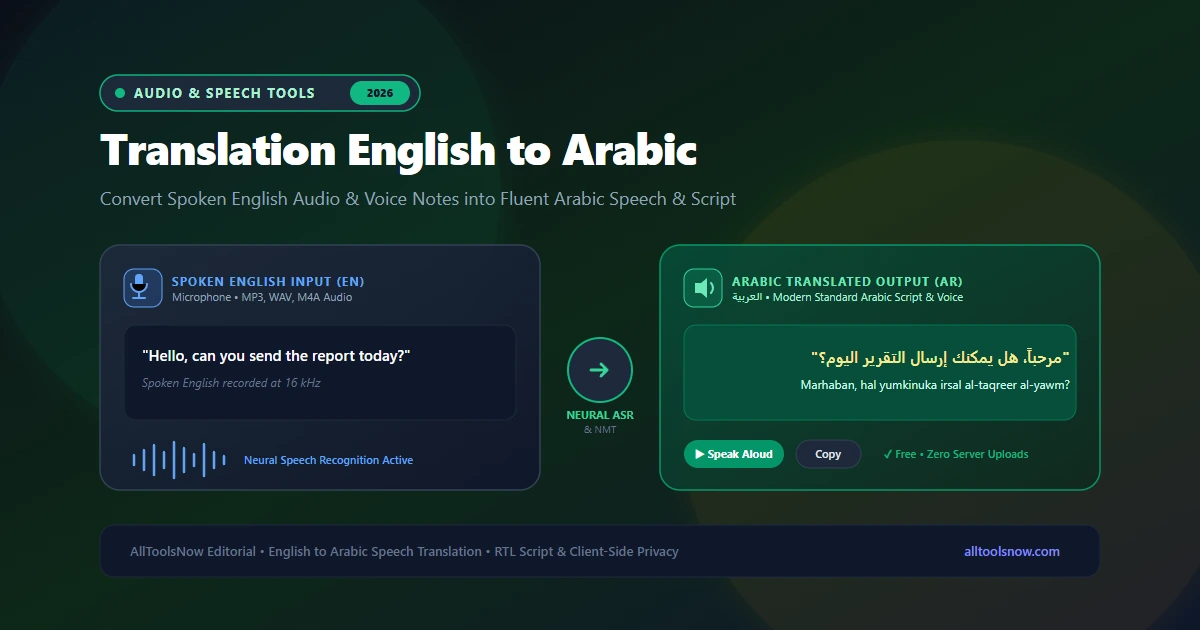
Translate English Voice & Audio Recordings to Arabic
Speak English into your microphone, upload audio recordings (MP3, WAV, M4A), generate Modern Standard Arabic script, and listen to synthesized Arabic speech with complete client-side privacy.
Arabic is one of the world's most widely spoken languages, with more than 400 million native speakers across 25 countries in the Middle East and North Africa. In international diplomacy, global energy, finance, aviation, and digital trade, professionals frequently need to bridge the language gap between English and Arabic. When working with recorded interviews, business webinars, voice memos, and client meetings, accurate translation english to arabic speech processing is a practical necessity.
Instead of writing out English sentences by hand, looking up non-concatenative Semitic roots in manual dictionaries, and struggling with complex Arabic gender inflections, modern speech technology automates the entire process. Spoken English audio is captured through a microphone or sound file, transcribed using neural acoustic models, restructured into grammatically fluent Arabic script, and pronounced aloud through speech synthesis. The exact same system also allows you to translate arabic to english voice audio with equal speed and precision.
This guide explores the speech recognition technology behind English to Arabic translation, examines the structural and phonetic hurdles that challenge automated algorithms, outlines practical workflows for translating audio recordings, and reviews best practices for clear, natural results.
How English to Arabic Speech Translation Operates
Converting spoken English audio into Arabic involves three distinct machine learning systems operating in sequence: automatic speech recognition (ASR), neural machine translation (NMT), and text-to-speech synthesis (TTS).
The process begins when an audio signal enters the system. Your microphone or uploaded sound file is digitized at 16,000 samples per second. An acoustic model converts the continuous sound waves into a mel-spectrogram, which visualizes sound frequencies according to human pitch perception. The model analyzes these spectral patterns in 25-millisecond windows to identify phonemes, which are the basic phonetic units of spoken English. A language model then matches those phonemes against vocabulary lists and grammatical structures to generate written English text.
Once the English transcript is established, the neural machine translation engine evaluates the sentences. Early machine translation engines substituted individual words sequentially, creating awkward phrasing that disregarded Semitic root systems and gender agreements. Modern neural translation systems use deep transformer architectures that analyze entire sentences simultaneously. The transformer model identifies sentence context, resolves pronouns, converts English syntax into appropriate Arabic phrasing, and selects correct grammatical case endings before generating Modern Standard Arabic script.
Finally, if you want spoken audio output, a speech synthesizer uses natural human voice profiles to read the translated Arabic text aloud through your speakers, capturing authentic regional rhythm, vowel lengths, and intonation.
Linguistic Differences Between English and Arabic
English belongs to the Germanic branch of the Indo-European family, while Arabic is the largest member of the Semitic family within Afroasiatic languages. Their morphology, phonology, and sentence architecture differ fundamentally. Understanding these linguistic factors explains why basic automated tools produce awkward phrasing and how advanced neural models resolve them.
Root-and-Pattern Morphology (Triliteral Roots)
English forms words through linear concatenation, attaching prefixes and suffixes to base words (for example: write, writer, writing, unwritten).
Arabic operates on a non-concatenative root-and-pattern system. Most words derive from a three-consonant root (triliteral root) that carries the core semantic concept. Vowels and consonants are slotted into set structural molds (called "awzan" or templates) to generate nouns, verbs, adjectives, and adverbs. Consider the root K-T-B (ك-ت-ب), which relates to writing:
- "Kataba" (كَتَبَ) means "he wrote."
- "Kitaab" (كِتَاب) means "a book."
- "Kaatib" (كَاتِب) means "a writer" or "author."
- "Maktab" (مَكْتَب) means "an office" or "desk."
- "Maktabah" (مَكْتَبَة) means "a library" or "bookstore."
When translating spoken English into Arabic, the neural translation engine must map English concept words onto their corresponding Semitic root templates, selecting the correct derivative based on part of speech and syntactic function.
Diglossia: Modern Standard Arabic vs. Regional Dialects
Arabic exhibits a pronounced linguistic feature known as diglossia. Modern Standard Arabic (الفصحى / Fus'ha) is the standardized literary form used across the Arab world in television broadcasts, newspapers, legal documents, official diplomacy, and academic textbooks.
However, native speakers do not speak Modern Standard Arabic at home or in casual social settings. Instead, they speak regional colloquial dialects (العامية / Aamiya), which vary significantly across geography:
- Egyptian Arabic (Masri): Spoken by over 100 million people, widely understood across the Arab world through film and media.
- Levantine Arabic (Shami): Spoken across Syria, Lebanon, Jordan, and Palestine.
- Gulf Arabic (Khaleeji): Spoken across Saudi Arabia, the United Arab Emirates, Qatar, Kuwait, Bahrain, and Oman.
- North African Arabic (Maghrebi): Spoken in Morocco, Algeria, and Tunisia, featuring heavy Amazigh and French influences.
For high-volume business, legal, and academic translation, voice tools prioritize Modern Standard Arabic. MSA provides a neutral, highly respected bridge that is mutually intelligible to educated speakers from Cairo to Dubai to Casablanca.
Right-to-Left (RTL) Script and Diacritization (Tashkeel)
Arabic is written from right to left in a cursive script where letters change shape depending on whether they appear at the beginning, middle, or end of a word.
In standard printed Arabic, short vowels (a, i, u) are represented by diacritical marks called "tashkeel" (fat-ha, kasra, damma, and sukun). While adult readers read unvocalized text without diacritics based on grammatical context, speech synthesis engines require accurate diacritization to pronounce words correctly. For example, the unvocalized letters "ع-ل-م" can be read as "ilm" (knowledge), "alam" (flag), "alima" (he knew), or "allama" (he taught). Advanced neural translators generate contextual diacritics internally before passing text to the voice synthesis engine.
Grammatical Gender, Dual Number, and Politeness
English grammar has largely eliminated grammatical gender except for third-person singular pronouns (he, she, it).
Arabic assigns grammatical gender (masculine or feminine) to every noun, verb, adjective, and pronoun. Furthermore, Arabic distinguishes between masculine "you" (anta / أَنْتَ) and feminine "you" (anti / أَنْتِ). In addition to singular and plural forms, Arabic features a dedicated dual form (المثنى) used specifically when referring to two people or objects. When translating spoken English into Arabic, the translation engine must infer the gender and number of the listener from conversational context to apply the proper verb forms.
Flexible Word Order: VSO and SVO
English follows a strict Subject-Verb-Object (SVO) word order. Classical and formal Arabic traditionally favor Verb-Subject-Object (VSO) order, although Subject-Verb-Object (SVO) is also widely used in modern journalism and contemporary speech:
- VSO: "أعلن المدير عن المشروع الجديد" (Announced the director the new project).
- SVO: "المدير أعلن عن المشروع الجديد" (The director announced the new project).
Neural translation models accommodate both syntactic structures, choosing the order that yields the most natural rhetorical cadence in Arabic.
Primary Methods to Translate English Audio into Arabic
Users have several practical technical approaches when converting spoken English into Arabic. Each approach offers distinct advantages depending on whether you need quick travel phrases, live microphone translation, or private processing of recorded audio files.
Browser-Based English to Arabic Translators
Browser-based tools allow you to transcribe and translate spoken audio directly in your web browser without downloading software or registering an account.
Using client-side audio decoding through the Web Audio API, relying on a dedicated english to arabic audio translation tool like the AllToolsNow Voice Translator processes audio files and microphone input inside your browser memory. This approach provides a significant privacy advantage: sensitive business negotiations, legal consultations, and personal voice memos are not retained on remote cloud databases or used to build commercial machine learning datasets.
Mobile Translation Apps
Mobile applications from Google Translate and Microsoft Translator offer split-screen conversation modes on smartphones. One user speaks English, and the app reads the Arabic translation aloud through the phone speaker.
While convenient for tourism and brief in-person exchanges, mobile apps rarely support uploading pre-recorded MP3 or WAV audio files from external voice recorders, podcasts, or lecture captures.
Desktop Speech Recognition Software
Power users and professional transcriptionists often combine desktop tools like Whisper Desktop with local neural translation libraries.
Desktop setups handle very long audio recordings and function completely offline. However, they require powerful hardware with dedicated graphics processors (GPUs), large storage capacity for model weights, and technical familiarity with command-line tools.
Comparison of English to Arabic Translation Methods
| Feature | Browser Voice Translator | Mobile Apps | Desktop Local Software | Hardware Devices |
|---|---|---|---|---|
| Cost | 100% Free | Free with ads / tracking | Free (Open source) | $150 to $350 |
| Audio File Uploads | Supported (MP3, WAV, M4A) | Live microphone only | Supported (via FFmpeg) | Live microphone only |
| Privacy Protection | High (Client-side memory) | Medium (Cloud telemetry) | Complete (Offline local disk) | Medium (Vendor cloud) |
| Hardware Demands | Any modern web browser | Smartphone | Dedicated GPU / VRAM | Dedicated standalone device |
Step-by-Step: How to Translate English Speech to Arabic
Translating an English audio recording or live voice into Arabic using an online voice translator is straightforward. Follow these four practical steps:
Step 1: Prepare and Inspect Your Audio Input
If you are speaking live into a microphone, select a quiet room with minimal background noise. Position your microphone 4 to 6 inches from your mouth to avoid plosive breath pops while maintaining a strong audio signal.
If you have a pre-recorded English audio file from an interview, Zoom call, or voice memo, verify the file format. Common formats like MP3, WAV, AAC, and M4A are supported directly. If your recording is saved in an uncommon container, convert it first with an online Audio Converter. If the file contains long silences or unwanted banter, use an Audio Trimmer to focus on the essential speech.
Step 2: Configure Your Translation Languages
Open the voice translation tool in your web browser. Select English as your source input language and Arabic as your target output language. If you need the reverse workflow, you can easily switch languages to translate spoken Arabic audio into English text and speech.
Step 3: Record Live Speech or Upload Your Audio File
Click the microphone button and speak clearly in English, or drag and drop your recorded audio file into the upload zone. The system analyzes the incoming sound waves, runs acoustic feature extraction, and generates the English transcript in the left text editor.
Step 4: Review and Generate Arabic Translation
Take a moment to check the generated English transcript. If a technical term, company name, or numerical figure was slightly misheard, correct it directly with your keyboard.
The neural machine translation engine immediately updates the right window with fluent Arabic script. Click the Speak button to hear the Arabic translation read aloud using native speech synthesis, or click Copy to paste the Arabic text into your document or messaging app.
Best Practices for Speech Translation English to Arabic Workflows
To get the highest possible translation quality when processing spoken English into Arabic, keep these recommendations in mind:
Speak in Full Sentences
Because Arabic verbs inflect heavily based on subject gender, number, and syntactic context, the translation engine needs the full context of an English sentence before it can generate the correct Arabic phrasing. Speaking in complete thoughts rather than isolated phrases ensures that the translation model selects the proper verb tense and gender agreement.
Maintain a Consistent Speaking Tempo
While modern acoustic models accommodate natural conversational cadence, speaking at an excessively rapid pace without pauses between clauses increases word error rates. Speaking at a steady tempo of 120 to 150 words per minute allows the speech recognition model to accurately detect consonant transitions.
Use a Directional Microphone in Shared Spaces
Ambient noise from air conditioners, road traffic, or open offices lowers the signal-to-noise ratio of your recording. Using a directional headset microphone isolates your voice and filters out room reverberation, dramatically improving speech recognition accuracy.
Verify Proper Nouns and Numerical Values
While neural translation engines handle everyday grammar and idioms with high accuracy, phonetic spellings of rare proper names, medical dosages, and financial figures should always be double-checked before sending translated files to clients or colleagues.
Frequently Asked Questions
What is the best tool for translation english to arabic voice audio online?
You can translate English voice audio into Arabic for free using browser-based tools like the AllToolsNow Voice Translator. The system allows you to speak into your microphone or upload audio files in MP3, WAV, or M4A format, generates complete Arabic script, and provides native spoken audio playback without requiring software installation or account sign-ups.
Which Arabic dialect does the voice translator produce?
The translation engine produces Modern Standard Arabic (الفصحى / Fus'ha), the formal standardized form of Arabic understood across all 25 Arab nations. MSA is the standard language for international business, news broadcasts, government affairs, education, and legal documentation.
Can I translate Arabic voice recordings back into English?
Yes. The speech translation system is fully bidirectional. By choosing Arabic as your source language and English as your target, you can speak in Arabic or upload recorded Arabic audio files to generate accurate English text and synthesized English audio playback.
Are my audio recordings stored or shared on external cloud servers?
When you use the AllToolsNow Voice Translator, audio decoding and transcription operate inside your local web browser session using the Web Audio API. Your microphone input and uploaded audio files are not stored on remote company servers or used to build commercial machine learning datasets, ensuring full privacy.
How does the system handle English technical terms in Arabic?
Modern neural translation models handle technical, computing, and scientific terms through smart contextual transliteration and standard Arabic terminology. Common terms like internet, file, application, and database are rendered in standard Arabic equivalents so that the translated text remains clear and professional.
Explore Voice Translation Guides
- Translate English to Tamil Audio: Spoken Voice & Speech Guide
- Translate Inggris Indonesia Voice to English: Spoken Audio Guide
- How to Translate Audio: Speech to Text and Voice Workflows
- Spanish to English Voice Translator: Convert Spoken Spanish to Fluent English
- Hindi to English Voice Translation: How Speech Recognition Bridges Languages
- Online Voice Translator Tool: Speak & Translate Across 50+ Languages