
How to Translate Audio: From Voice Recordings to Fluent Text
Audio recordings capture an enormous share of our daily communication. From voice notes and interview tapes to webinars and international customer calls, learning how to translate audio into clear, readable language saves hours of tedious manual transcription.
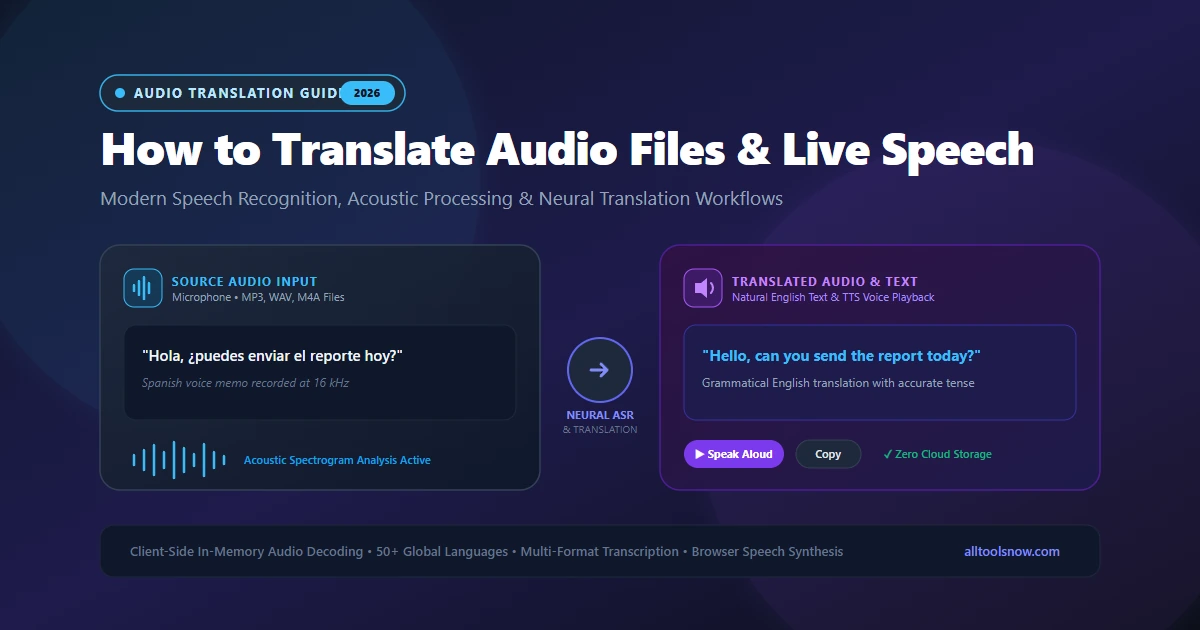
Translate Audio Files & Live Speech in Your Browser
Upload MP3, WAV, or M4A audio notes, speak into your microphone, generate bilingual transcripts, and listen to synthesized speech with complete client-side privacy.
Audio recordings now capture an enormous share of our daily communication. People exchange voice notes on messaging apps, record remote meetings on Zoom, conduct recorded interviews, and capture lectures on smartphones. When those spoken words are in a foreign language, turning sound into understandable text becomes an immediate priority.
Whether you need to review a client voice memo, transcribe a multilingual webinar, or work with recorded interviews, learning how to translate audio into clear, readable language saves hours of tedious manual transcription. Instead of stopping playback every five seconds to type out foreign phrases and look up dictionary definitions, modern automated tools convert raw acoustic signals into accurate written text, reorder grammar across languages, and generate natural spoken speech.
This guide explains how speech translation technology works, examines the acoustic factors that influence transcription accuracy, outlines practical steps for translating common audio file formats, and explores high-volume workflows like spanish to english translation audio processing.
How Speech and Audio Translation Technology Works
Translating spoken sound involves far more than running written sentences through a dictionary. Spoken speech contains accent variations, overlapping voices, background noise, and variable pacing. To convert recorded audio into another language, modern speech processing uses two primary engineering architectures: the traditional three-stage pipeline and end-to-end neural models.
The Cascaded Pipeline: ASR, NMT, and TTS
Most production translation platforms use a sequential three-step pipeline. Each step is handled by a specialized neural network.
The first step is automatic speech recognition, commonly called ASR. The system ingests an audio stream, samples the sound wave, and converts continuous acoustics into a mel-spectrogram. A mel-spectrogram is a visual representation of sound frequencies mapped to how human ears perceive pitch. An acoustic neural model reads this spectrogram in 20-to-30-millisecond slices to detect phonemes, which are the basic phonetic sounds that make up words. A connected language model then evaluates word probabilities and grammar rules to reconstruct complete written sentences in the source language.
The second step is neural machine translation, or NMT. Once the speech recognition engine generates a written transcript, the text passes to a transformer-based translation model. Unlike legacy phrase-based translators that replaced words in isolation, transformer models evaluate whole sentences simultaneously through self-attention layers. The model recognizes grammatical dependencies, resolved pronouns, verb tenses, and context before assembling fluent output in the target language.
The third step is text-to-speech synthesis, or TTS. If you need spoken audio output rather than plain text, a speech synthesis engine converts the translated text back into realistic speech. Neural vocoders generate smooth audio waveforms that replicate human intonation, stress patterns, and natural breathing pauses.
The primary benefit of this cascaded workflow is transparency. You can inspect and edit the source transcript before translation runs. If the speech engine misinterprets a company name, technical acronym, or rare location, you can correct the spelling with your keyboard, ensuring the final translation is completely accurate.
End-to-End Speech-to-Speech Models
In recent years, research institutions and technology companies developed direct speech-to-speech models, including systems like Meta SeamlessM4T and OpenAI Whisper. These models bypass the intermediate text stage, mapping acoustic waveforms in one language directly to translated speech or translated text in another.
Direct speech-to-speech models reduce cumulative latency, making them attractive for live teleconferences and simultaneous headset interpretation. They also preserve vocal characteristics like pitch, emotional tone, and speaker identity across languages.
However, end-to-end models present practical drawbacks for everyday business and academic tasks. Because there is no accessible intermediate transcript, you cannot fix minor acoustic mishearings before the translation generates. If the model misinterprets a number or medical term, that error flows directly into the output. For pre-recorded files, legal transcripts, and professional documentation, the cascaded approach remains the industry standard.
Technical Factors That Affect Audio Translation Quality
The success of any speech translation tool depends heavily on the quality of the recorded audio signal. Speech recognition models are trained on specific mathematical assumptions regarding sample rates, acoustic clarity, and dynamic range. Understanding these acoustic parameters helps you capture cleaner recordings and troubleshoot poor translation results.
Sample Rate and Bit Depth
Audio quality starts with digitization. When sound waves hit a microphone diaphragm, the analog signal is converted into digital numbers at set intervals.
Telephony audio historically recorded speech at 8,000 samples per second (8 kHz). While 8 kHz is sufficient to understand basic speech over a phone line, it cuts off high-frequency sound waves above 4,000 Hz. Critical consonant sounds, including the fricatives "s," "f," "th," and "sh," produce distinctive acoustic signatures in the 4,000 to 8,000 Hz range. Speech recognition models running on 8 kHz recordings experience significantly higher word error rates.
Modern speech recognition engines require an audio sample rate of at least 16,000 samples per second (16 kHz) with a 16-bit depth. Professional media recordings use 44.1 kHz or 48 kHz. Recording at 16 kHz or higher preserves consonant definition, enabling acoustic models to distinguish between words with similar vowel structures, like "sheet" and "seat."
Signal-to-Noise Ratio and Reverberation
Signal-to-noise ratio, or SNR, measures the volume of the speaker voice relative to ambient noise. In an ideal studio recording, the signal-to-noise ratio exceeds 30 decibels, meaning the voice is dramatically louder than the room floor noise.
When recordings are made in cafeterias, busy streets, or echoey tile rooms, the signal-to-noise ratio drops. Reverberation occurs when sound waves bounce off hard walls, ceilings, and windows, reaching the microphone fractions of a second after the direct voice signal. These reflections blur the edges of phonemes on the mel-spectrogram, confusing the acoustic model.
Using a directional microphone close to the speaker or applying lightweight noise suppression before translation dramatically improves transcription accuracy.
Accents, Dialects, and Fast Speech
Every language encompasses multiple regional accents and speech cadences. In English, vowel shifts differ between North American, British, Australian, and Indian speakers. In Spanish, speech tempo, consonant aspiration, and pronoun choices shift between Madrid, Mexico City, the Caribbean, and Buenos Aires.
Standard speech recognition models struggle when speakers talk rapidly without clear pauses between words. Syllable-timed languages like Spanish and French maintain consistent syllable pacing, which can sound like continuous unbroken audio to speech models calibrated on English stress timing. Advanced translation platforms overcome this by training acoustic frontends on diverse international corpora.
Overlapping Voices and Speaker Diarization
When two people speak simultaneously, sound waves merge into a single chaotic waveform. Standard speech recognition engines cannot untangle overlapping frequencies, which often produces garbled sentences or hallucinated phrases.
Speaker diarization is the computational process of answering "who spoke when." Diarization models analyze vocal pitch, timbre, and acoustic resonance to separate multiple speakers into distinct audio channels. If your audio contains a group discussion, running diarization or ensuring speakers take turns prevents transcription overlap.
Step-by-Step: How to Translate Audio Files
Translating a pre-recorded audio file involves four practical steps: preparing the recording, uploading the file to a translation engine, reviewing the transcript, and generating the translated text or speech.
Step 1: Prepare and Check the File
Before uploading an audio recording, verify its container format and file size. Most speech translation platforms accept common formats like MP3, WAV, AAC, and M4A.
If your audio is saved in an unusual format, such as an OGG voice memo or a proprietary mobile dictation container, convert the file to a standard MP3 or WAV format using an online Audio Converter. Check that the file plays clearly through headphones. If the recording has minutes of dead air or unnecessary introductory banter, use an Audio Trimmer to focus on the essential speech.
Step 2: Upload to an Online Voice Translator
Open an in-browser voice translation tool, such as the AllToolsNow Voice Translator. Select the source language of the recording and the target language you want to generate.
Upload your audio file through the file selection interface. Modern browser tools use client-side audio decoding through the Web Audio API. This decodes the audio data inside your local browser memory without uploading raw voice recordings to remote third-party databases. For sensitive business interviews, legal depositions, and private personal notes, client-side processing provides a substantial privacy advantage over cloud storage services.
Step 3: Review the Source Transcript
Once the speech recognition engine finishes analyzing the audio, read through the generated source text.
Even high-end acoustic models can misinterpret proper nouns, corporate acronyms, medical terminology, and unusual family names. Because translation engines depend on accurate source text to determine grammatical relationships, correcting a misspelled noun or punctuation mark takes only seconds and prevents translation errors down the line.
Step 4: Generate Translation and Spoken Audio
After confirming the transcript, generate the translated text. The neural machine translation engine produces fluent output matching the grammar, idioms, and vocabulary of your target language.
You can copy the translated text into a document, export it as a transcript, or click the speech playback button. When playback is activated, the speech synthesis engine articulates the translated text through your speakers, allowing you to hear natural pronunciation and cadence.
Comparing Audio Translation Methods
Choosing the right translation method depends on your technical setup, privacy requirements, and whether you are working with live speech or pre-recorded media.
| Method | Best For | File Uploads | Privacy Level | Hardware Demand |
|---|---|---|---|---|
| Browser Voice Translator | Voice memos, interviews, daily audio | Yes (MP3, WAV, M4A) | High (In-memory client session) | Minimal (Modern browser) |
| Desktop Local Models | Long media archives, offline labs | Yes (via FFmpeg) | Complete (Offline local disk) | High (Dedicated GPU / VRAM) |
| Mobile Translation Apps | Live travel, ordering, chats | Live mic only | Medium (Cloud sync telemetry) | Minimal (Smartphone) |
| Hardware Translators | Tourism, clinic check-ins | Live mic only | Medium (Vendor cloud) | $150 - $350 hardware purchase |
High-Volume Use Case: Spanish to English Translation Audio
One of the most requested workflows globally is spanish to english translation audio processing. With over 40 million Spanish speakers in the United States and more than 500 million worldwide, businesses, medical clinics, and legal practices translate Spanish speech daily.
Spanish speech presents specific linguistic characteristics that require tuned translation models:
Fast Articulation and Syllable Pacing
Spanish speakers articulate syllables at an average rate of 7.82 syllables per second, compared to English speakers who average around 6.19 syllables per second. In addition, Spanish is a syllable-timed language where each syllable receives equal duration.
Speech recognition models trained primarily on English stress patterns can miss syllable boundaries in conversational Spanish. A dedicated Spanish acoustic model identifies rapid transitions between words like "de el" merging into "del" or "para arriba" spoken colloquially as "pa'rriba." For a dedicated breakdown, see our in-depth Spanish to English Voice Translator guide.
Pro-Drop Grammar and Contextual Subjects
Spanish verbs convey subject information through their conjugations. A Spanish speaker regularly drops subject pronouns, saying "Fuimos a la oficina" instead of "Nosotros fuimos a la oficina."
When processing audio translation, the translation engine must inspect the verb ending "fuimos" and correctly infer the English pronoun "We went to the office." If an audio translator treated words in isolation, it would produce broken fragments lacking subjects.
Managing Regional Vocabulary
Spanish vocabulary varies across national borders. The word for "pen" is "bolígrafo" in Spain, "pluma" in Mexico, and "lapicera" in Argentina. The word for "car" shifts from "coche" in Spain to "carro" in Colombia and "auto" in Chile.
Advanced neural translation engines use surrounding context to determine appropriate English phrasing, ensuring that regional colloquialisms translate into clear, standardized English.
Best Practices to Maximize Audio Translation Accuracy
To get consistent, accurate results when translating audio, incorporate these proven recording and editing practices:
Keep the Microphone Close
Microphone placement has a greater impact on speech recognition accuracy than the cost of the microphone itself. Position your microphone 4 to 6 inches away from the speaker mouth, slightly to the side to avoid plosive breath pops. Never place a microphone on a conference table twenty feet away from speakers and expect flawless machine transcription.
Normalize Audio Levels Before Translation
If a recording has very quiet passages followed by loud shouts, the speech recognition engine may drop low-volume words. Using an audio editor or trimmer to normalize volume levels brings quiet speech up to a clear listening threshold.
Break Long Audio Files into Focused Segments
Speech models perform best on audio chunks between 30 seconds and 5 minutes. Processing a continuous three-hour recording in a single pass increases the risk of memory bottlenecks or model hallucination during long periods of silence. Splitting long files into logical chapters improves processing speed and makes editing easier.
Double-Check Proper Nouns and Numerical Data
Automated systems excel at conversational grammar but can misinterpret phonetic variants of brand names, medication dosages, phone numbers, and physical addresses. Always inspect numerical figures and proper nouns in the transcript before sending translated documents to clients or colleagues.
Frequently Asked Questions
Can I translate audio recordings directly in my browser without downloading software?
Yes. Modern browser tools like the AllToolsNow Voice Translator run speech recognition and translation directly within your web browser. You can upload audio files in MP3, WAV, or M4A format, transcribe the spoken dialogue, and generate translated text and audio playback without installing desktop programs.
What audio file formats work best for automated translation?
Uncompressed WAV recordings with a 16 kHz or 44.1 kHz sample rate and 16-bit depth provide the highest acoustic fidelity for speech recognition. Clean MP3 and M4A files recorded at 128 kbps or higher also deliver excellent transcription accuracy. Avoid heavily compressed 8 kHz telephony files whenever possible.
How does speech translation handle speakers with heavy regional accents?
Contemporary neural speech recognition models are trained on extensive multilingual datasets containing diverse international accents and dialects. Acoustic models analyze phonetic context across entire phrases rather than isolated phonemes, allowing the engine to recognize regional vowel shifts and consonant patterns accurately.
Is client-side audio translation safe for confidential or sensitive recordings?
Using a client-side browser tool keeps your audio processing inside your local browser session. Because files are decoded in browser memory using the Web Audio API rather than saved to remote cloud databases, your private voice memos and confidential business discussions remain secure.
What is the difference between audio transcription and audio translation?
Audio transcription converts spoken sound into written text in the exact same language that was spoken. Audio translation takes that spoken sound and converts it into written text or speech in a completely different language, combining speech recognition with neural machine translation.
Explore Voice Translation Guides
- Spanish to English Voice Translator: Convert Spoken Spanish to Fluent English
- Hindi to English Voice Translation: How Speech Recognition Bridges Languages
- English to Hindi Voice Translator: Speak English & Translate to Hindi
- Online Voice Translator Tool: Speak & Translate Across 50+ Languages
- AllToolsNow Blog & Tech Guides