
Hindi to English Voice Translation: How Speech Recognition Bridges Two Linguistic Worlds
Speaking in your native language is always faster than typing in a foreign one. For millions of Hindi speakers, expressing complex ideas, business inquiries, medical symptoms, or academic notes in Hindi feels natural, but communicating those thoughts to global partners requires English. Discover how modern hindi to english voice translation transforms spoken Devanagari into fluent English text and audio in real time.
Translate Hindi Speech Directly in Your Browser
Speak Hindi into your microphone, upload MP3 voice notes, listen to English pronunciation, or cross-verify results on Google Translate with zero server uploads.
Speaking in your native tongue is always faster than typing in a foreign language. For millions of Hindi speakers, expressing complex ideas, business inquiries, medical symptoms, or travel questions in Hindi feels natural, but communicating those thoughts to international colleagues, academic institutions, or overseas clients requires English.
Historically, converting spoken Hindi into English meant finding a bilingual person to interpret, or speaking into a basic phone transcriber, fixing scrambled words manually, copying the text into a separate translation window, and editing the broken grammar. Today, hindi to english voice translation combines acoustic speech recognition with neural language translation, enabling you to speak in Hindi and generate fluent English text and audio in real time.
This article examines how spoken Hindi converts into English text, the grammatical and acoustic hurdles that make Hindi speech translation uniquely challenging, how to handle pre-recorded voice files, and how to verify results for important communication.
How Modern Hindi to English Voice Translation Works
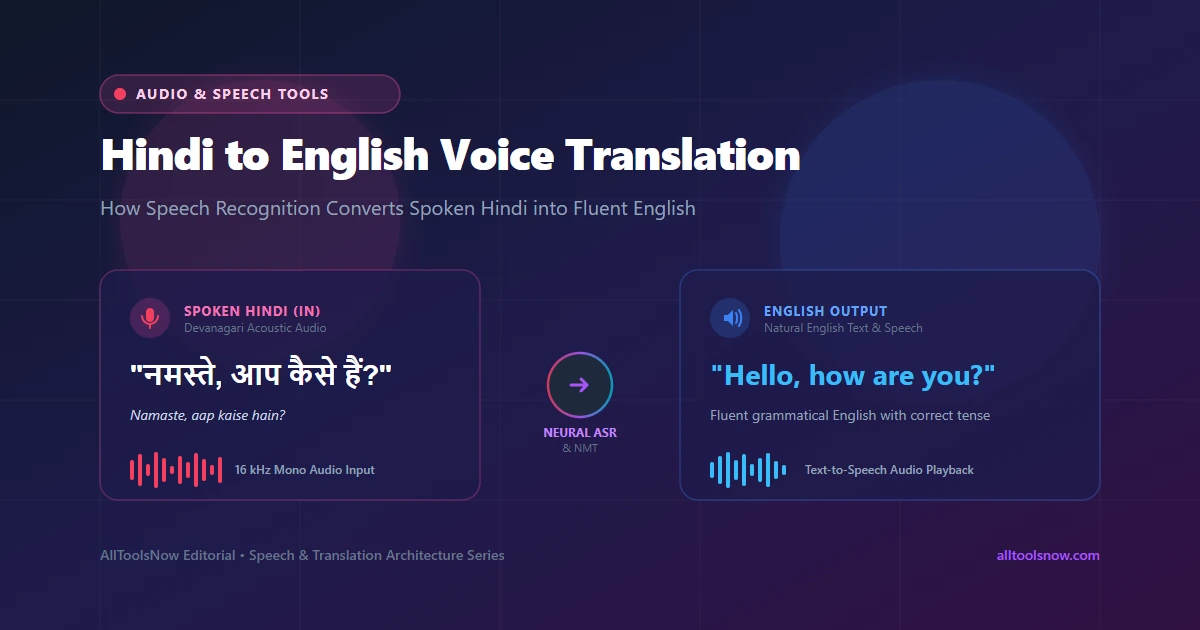
Voice translation relies on two separate machine learning systems working in sequence: automatic speech recognition (ASR) and neural machine translation (NMT).
The speech recognition stage converts sound waves into written Hindi text. When you speak into your microphone, your device digitizes the sound at 16,000 samples per second. An acoustic model analyzes these sound waves in 20-to-30-millisecond windows to identify phonemes, which are the smallest distinct units of sound. A language model then matches those phonemic patterns against vocabulary databases to reconstruct grammatical Hindi sentences in Devanagari script.
Once the speech recognition engine finishes transcribing your sentence, the text passes to the neural machine translation engine. Unlike older word-for-word translation programs that produced awkward literal phrases, modern neural translation models use transformer architectures. These networks evaluate whole sentences at once, analyzing relationships between words to determine the intended meaning, grammatical tense, and tone before generating natural English output.
If you request audio playback, a third engine, known as text-to-speech (TTS), takes the resulting English text and uses synthesized human voice models to read the translation aloud with natural cadence and pronunciation.
Linguistic Differences Between Hindi and English
Translating spoken Hindi into English is substantially harder than translating between European languages such as Spanish and French. Hindi and English belong to different branches of the Indo-European language family and follow contrasting grammatical architectures.
Word Order Divergence
The most immediate difference is sentence structure. English follows a Subject-Verb-Object (SVO) order. For example, in the sentence "The doctor examined the patient," the subject comes first, followed by the action verb, and finally the object receiving the action.
Hindi follows a Subject-Object-Verb (SOV) order: "डॉक्टर ने मरीज की जांच की" (Doctor [subject] patient [object] examined [verb]).
Because the main verb in Hindi sits at the end of the clause, a voice translator cannot simply translate words one by one as they are spoken. The translation model must buffer the spoken sentence until it hears the verb at the very end. Only then can it determine the tense, aspect, and mood needed to construct a proper English sentence.
Aspirated and Retroflex Consonants
Hindi contains a rich inventory of consonants that do not exist in English. The language distinguishes between unaspirated stops (pronounced without a burst of breath) and aspirated stops (pronounced with a deliberate puff of air):
- The unaspirated sound "क" (as in "कमल") contrasts directly with the aspirated "ख" (as in "खरगोश").
- The dental sound "त" (pronounced with the tongue touching the upper teeth) contrasts with the retroflex "ट" (pronounced with the tongue curled back against the roof of the mouth).
- The sound "द" contrasts with "ध", and "प" contrasts with "फ".
Standard microphones and low-quality phone connections often muffle these subtle acoustic distinctions. If an acoustic model fails to capture the burst of air in an aspirated consonant, it can misinterpret words completely. For example, mistaking "खाना" (food/to eat) for "गाना" (song/to sing) alters the entire meaning of a sentence.
The Phenomenon of Schwa Deletion
Modern spoken Hindi practices what linguists call schwa deletion. The inherent neutral vowel sound "a" (schwa), which is present in classical Sanskrit, is routinely dropped at the end of words and between certain syllables in everyday spoken Hindi.
For instance, the word written in Devanagari as "कमल" is pronounced "Kamal," not "Kamala." The name "राम" is pronounced "Raam," not "Raama." A speech recognition model trained solely on formal written text often stumbles over casual spoken cadence because the speaker omits vowels that appear in the written script. Modern engines must be trained on thousands of hours of conversational audio to account for regional rhythm.
Code-Mixing and Everyday Hinglish
In practical everyday conversation across Delhi, Mumbai, Lucknow, and Bangalore, few people speak purely formal Hindi. Most speakers naturally blend Hindi grammar with English vocabulary, creating what linguists call code-mixing, commonly known as Hinglish.
A speaker might say: "मेरी फ्लाइट डिले हो गई है, इसलिए मीटिंग रीशेड्यूल करनी पड़ेगी।" (My flight has been delayed, so the meeting will have to be rescheduled.)
A rigid translation engine that expects pure Hindi vocabulary struggles when an English word like "flight," "delay," or "meeting" is inflected with Hindi grammatical markers. High-performance voice translation systems must recognize both Devanagari phonemes and English loanwords simultaneously within the same acoustic stream.
Gender-Marked Verbs
Hindi verbs change form depending on the grammatical gender of the subject. A male speaker says "मैं जा रहा हूँ" (I am going), while a female speaker says "मैं जा रही हूँ" (I am going).
English verbs do not inflect for the speaker's gender in the present continuous tense; both men and women say "I am going." When translating from Hindi to English, the engine must collapse gender-specific verbal endings into gender-neutral English verbs without losing the identity of who is speaking.
Methods for Translating Hindi Speech to English
Depending on whether you are chatting live, working on a laptop, or translating pre-recorded interviews, several distinct methods are available.
Browser-Based Client-Side Translation
For users working on desktop computers, Chromebooks, or mobile browsers who need immediate translation without installing specialized phone apps, online tools provide a practical option. The AllToolsNow Voice Translator runs directly inside your web browser. You can select Hindi as your spoken input, click the microphone button, and speak naturally.
The speech recognition engine processes your speech, displays the original Hindi transcript, and translates it into English text. You can click the Speak button to hear the English translation, copy the text for emails or documents, or upload pre-recorded audio files. Because processing occurs inside your browser session, your voice recordings remain private to your local device.
Native Smartphone Keyboard Dictation
Both Android and iOS feature built-in voice dictation keyboards. On Android, Google Gboard allows you to add Hindi as an input language. You can tap the microphone icon on the keyboard, speak in Hindi, and see the Devanagari text appear on screen.
However, standard keyboard dictation only transcribes what you say; it does not automatically translate the text into English. To translate, you must highlight the transcribed Hindi text, open a translation application, paste the text, and generate the English equivalent. This multi-step process works for quick text messages but becomes cumbersome for long paragraphs or conversations.
Dedicated Translation Mobile Applications
Standalone applications like Google Translate, Microsoft Translator, and specialized travel apps offer conversation modes. In conversation mode, two speakers share a phone screen. One person speaks Hindi, the phone plays the English translation aloud, and the other person speaks English while the phone plays Hindi.
These apps work well for travel and face-to-face retail encounters. Their limitation lies in desktop productivity: transferring long translated texts into desktop documents, editing transcripts, or processing pre-recorded meeting recordings requires exporting files between devices.
Dedicated Hardware Pocket Translators
Handheld pocket translators are portable electronic devices equipped with dual microphones, SIM card slots, and offline language databases. Brands like Pocketalk and Langogo sell devices designed specifically for international travelers and field workers who lack reliable internet connections.
While convenient in remote areas without cellular coverage, dedicated hardware devices are expensive, ranging from $150 to $350. Their small screens make reviewing long paragraphs difficult, and their offline translation models offer lower grammatical accuracy than modern web-connected neural models.
Comparison of Hindi to English Translation Options
| Translation Method | Best Use Case | Audio File Intake | Hardware Privacy | Cost |
|---|---|---|---|---|
| Client-Side Web Tool (AllToolsNow) | Desktop writing, business emails, audio file translation | Yes (MP3, WAV, M4A) | High (runs in local browser session) | Free |
| Native Phone Keyboard (Gboard/iOS) | Short text messages, mobile messaging apps | No (live voice only) | Moderate (audio processed by OS vendor) | Free |
| Mobile Translation Apps | Live face-to-face travel conversations | Limited | Moderate (audio sent to cloud servers) | Free |
| Pocket Hardware Translators | Off-grid travel without mobile internet | No | High (local embedded chips) | $150 to $350 |
Translating Pre-Recorded Hindi Audio Files
Voice translation is not limited to live microphone speech. Professionals frequently need to translate pre-recorded voice memos, customer service call recordings, focus group interviews, or university lectures from Hindi to English.
Processing pre-recorded audio involves distinct technical considerations:
- Format and Sample Rate Decoding: Audio recorded on smartphones or voice recorders usually arrives in MP3, M4A, AAC, or WAV format. Before speech recognition can begin, the browser or audio engine decodes the compressed audio file into raw 16,000 Hz mono floating-point samples. If you have an unusually large audio file or an unsupported format, using a free tool like the Audio Converter can standardize the file to clean 16 kHz WAV before processing.
- Silence and Pause Alignment: Humans do not speak continuously. A 30-minute interview contains breath pauses, thinking pauses, and natural paragraph breaks. Rather than slicing audio at arbitrary 30-second time stamps (which risks cutting a word in half), intelligent speech engines split audio at quiet breath intervals. Tools like an Audio Trimmer can also help remove unwanted silence or dead air before transcription begins.
- Batch Sentence Translation: Once the audio engine transcribes each speech segment into Hindi text, the translation pipeline translates the sentences sequentially. This produces a complete bilingual transcript containing both the original spoken Hindi and the translated English text, suitable for saving as meeting notes or study materials.
Practical Steps to Maximize Translation Accuracy
Acoustic speech models are sensitive to sound clarity. Adopting a few speaking habits significantly improves the accuracy of your Hindi to English voice translations:
Maintain Proper Microphone Distance
Position your microphone roughly three to five inches from your mouth. Speaking directly against the microphone causes plosive air bursts, particularly with Hindi aspirated sounds like "फ", "थ", and "भ", which distort the audio waveform. Conversely, sitting several feet away from a laptop microphone introduces room reverberation and echo, making vowels sound hollow.
Speak in Cohesive Sentences
Because Hindi places the verb at the end of the sentence, pausing for five seconds midway through a thought confuses the translation model. Speak complete phrases in a steady, measured pace. Giving the engine the full context of the subject, object, and verb allows it to assign the correct English tense and preposition.
Minimize Background Ambient Noise
Ceiling fans, traffic horns, television chatter, and mechanical keyboard clicks degrade speech recognition accuracy. If you are recording in a noisy environment, use a headset with a directional microphone rather than an open laptop mic. Clean input audio allows the acoustic model to focus on subtle phonetic boundaries.
Review Proper Nouns and Technical Terms
Names of specific local businesses, specialized medical terms, or regional family names may not exist in standard language dictionaries. In modern browser-based translators, you can click into the transcribed text box to correct any misheard name before clicking the translation button.
Verifying Translations for Important Documents
When translating sensitive business proposals, academic applications, or legal correspondence, relying on a single automated translation can introduce risk. A single misinterpreted verb or negative marker ("नहीं") completely reverses the meaning of a sentence.
To verify critical translations, apply these two verification techniques:
Back-Translation Checking
Copy the generated English translation and paste it into a translator set from English back to Hindi. If the resulting Hindi text preserves the core meaning and tone of your original statement, the English translation is semantically sound. If the back-translated Hindi says something entirely different, the sentence structure was likely ambiguous and should be rephrased.
Dual-Engine Second Opinions
Different translation models use distinct neural training datasets. Comparing the output of two independent systems highlights phrasing differences and catches subtle errors. The AllToolsNow Voice Translator includes an export bar button titled Verify on Google Translate. Clicking this button opens a new tab with your original text and language pair pre-populated on Google Translate, allowing you to cross-check results in seconds without manual copying and pasting.
Frequently Asked Questions
Can I translate pre-recorded Hindi voice recordings to English?
Yes. You can upload pre-recorded audio files in MP3, WAV, M4A, or AAC format directly into modern online voice translators. The system transcribes the spoken Hindi into text, translates the content into grammatical English, and allows you to copy or export the completed bilingual transcript.
How does voice translation handle mixed Hindi and English (Hinglish)?
Modern neural speech recognition systems are trained on extensive multilingual datasets that include conversational code-mixed speech. Common English loanwords such as "ticket," "office," "doctor," and "computer" spoken within Hindi sentences are recognized and translated into natural English without causing recognition errors.
Is my voice recording stored or shared on remote servers?
When using client-side tools like the AllToolsNow Voice Translator, audio decoding, transcription, and text processing run within your local web browser session. Your raw microphone audio and uploaded voice files are not saved on remote servers, providing complete hardware-level privacy.
Can I listen to the translated English pronunciation aloud?
Yes. Once your spoken Hindi is translated into English text, click the Speak button next to the translated text box. Your browser uses built-in speech synthesis to read the translated English aloud with natural pronunciation and cadence.
What should I do if the translator mishears a rare name?
If an unusual proper noun or brand name is misinterpreted, simply click into the left transcript box, correct the spelling with your keyboard, and click the Re-Translate button. The engine updates the English translation instantly without requiring you to re-record your voice.