
Translate Inggris Indonesia Voice to English: Spoken Audio & Speech Guide
Indonesia is home to more than 275 million people. Whether you are speaking with international clients, studying abroad, or converting recorded voice notes, learning how to translate inggris indonesia voice to english audio makes cross-border communication instantaneous and natural.
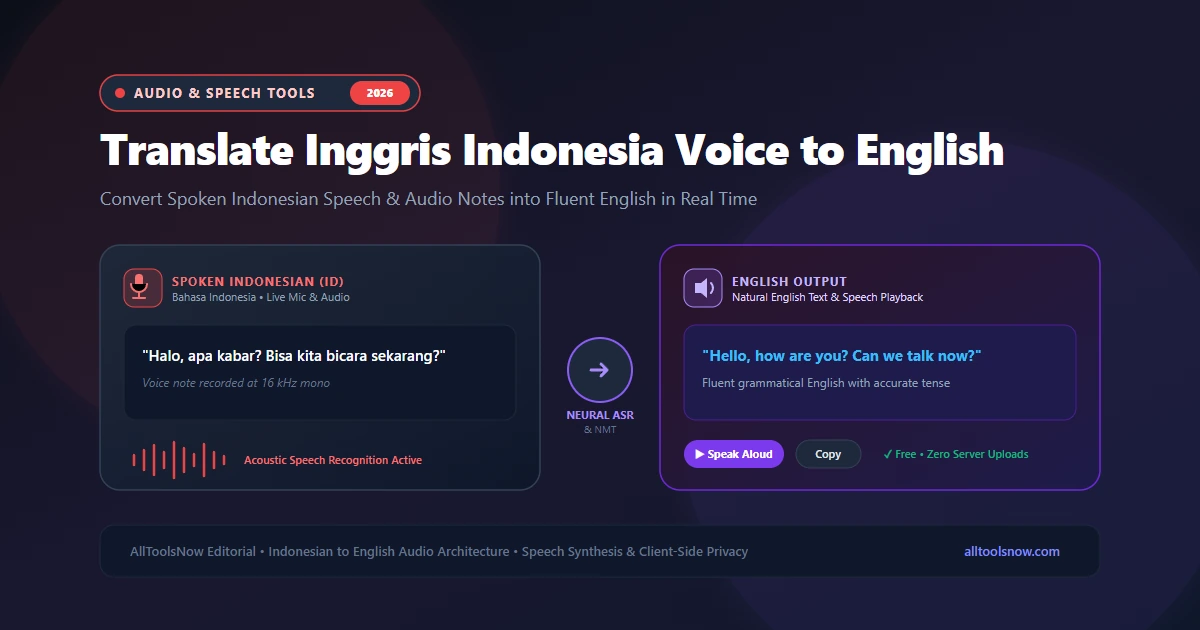
Translate Indonesian Speech & Voice Notes in Real Time
Speak Bahasa Indonesia into your microphone, upload WhatsApp MP3/M4A voice memos, listen to English pronunciation, and enjoy 100% private in-browser decoding.
Indonesia is home to more than 275 million people, making Bahasa Indonesia one of the most widely spoken languages in Southeast Asia. Across Jakarta, Surabaya, Bandung, and overseas communities, millions of people communicate daily using spoken voice notes, video meetings, and audio recordings. When communicating with international clients, academic advisors, or foreign colleagues, being able to translate inggris indonesia voice to english audio quickly is essential.
Instead of typing out long sentences, looking up words in bilingual dictionaries, and guessing English grammatical tenses, modern speech translation captures your spoken voice directly. Within seconds, acoustic speech recognition engines identify Indonesian phonemes, neural translation models reconstruct the grammar into natural English, and text-to-speech synthesizers read the translated sentences aloud. The same bidirectional workflow also allows you to translate english to indonesian voice recordings with equal precision.
This guide explores the speech technology behind Indonesian voice translation, examines the unique grammatical characteristics of Bahasa Indonesia that challenge standard algorithms, outlines steps to translate audio recordings, and reviews methods to verify your translations.
How Indonesian to English Speech Translation Works
Translating spoken Indonesian into English requires three connected engineering components working in sequence: automatic speech recognition (ASR), neural machine translation (NMT), and text-to-speech synthesis (TTS).
The process begins when you speak into your microphone or upload an audio recording. Your device digitizes the sound waves at 16,000 samples per second. An acoustic model analyzes the sound in short 20-to-30-millisecond windows to generate a mel-spectrogram, which represents sound frequencies visually. The acoustic model identifies phonemes, the distinct sound units of spoken Indonesian. A language model then matches those phonemic sequences against vocabulary dictionaries and grammatical rules to reconstruct written Indonesian sentences.
Once the transcript is generated, it passes to the neural machine translation engine. Early translation tools translated individual words one by one, resulting in awkward and broken English sentences. Modern neural systems use deep transformer models that process entire sentences simultaneously. The transformer model evaluates the semantic relationships between words, resolves context, and determines the correct English verb tenses before generating natural, idiomatic English text.
Finally, if you want spoken audio output, a speech synthesizer uses natural human voice profiles to read the translated English text aloud through your speakers, capturing proper sentence rhythm, intonation, and stress.
Unique Linguistic Features of Bahasa Indonesia
While Indonesian uses the standard Latin alphabet with largely phonetic spelling, its grammar and sentence structure differ substantially from English. Understanding these linguistic factors clarifies why basic word-substituting translators struggle and how modern neural models produce accurate English phrasing.
The Absence of Grammatical Verb Tenses
English grammar relies heavily on verb conjugations to indicate when an action happens. Verbs change form across simple past, past continuous, present perfect, and future tenses (for example: eat, ate, eaten, eating, will eat).
Bahasa Indonesia does not inflect verbs for tense. The root verb "makan" remains unchanged whether an action took place yesterday, is happening right now, or will happen tomorrow. Temporal meaning is expressed through standalone aspect markers or surrounding time adverbs:
- "Saya makan nasi" can mean "I eat rice" or "I am eating rice" depending on the setting.
- "Saya sudah makan" uses the aspect marker "sudah" to indicate completed action ("I have eaten" or "I ate").
- "Saya sedang makan" uses "sedang" to indicate ongoing action ("I am eating").
- "Saya akan makan besok" uses "akan" and "besok" to indicate future action ("I will eat tomorrow").
When speech translation software processes an Indonesian sentence, it cannot rely on verb endings to choose the right English tense. The neural machine translation engine must evaluate the surrounding context, time markers, and adjacent sentences to determine whether to output "I worked," "I am working," or "I will work."
Affixes and Agglutinative Morphology
Indonesian is an agglutinative language that builds complex meanings by adding prefixes, suffixes, and circumfixes to base words. A single root word like "ajar" (teach) produces multiple distinct grammatical forms:
- "Belajar" means "to study" or "to learn."
- "Mengajar" means "to teach."
- "Pelajaran" means "a lesson" or "school subject."
- "Pengajar" means "an instructor" or "teacher."
- "Mempelajari" means "to study something deeply."
If an automated speech recognition system misinterprets an initial consonant or drops a nasal prefix like "me-" or "meng-," the grammatical function of the word shifts completely. High-quality speech engines must accurately identify these morphological affixes to preserve the speaker original meaning.
Flexible Word Order and Passive Construction
English predominantly follows a strict Subject-Verb-Object (SVO) order and favors active voice in everyday speech. Indonesian frequently employs passive constructions as a polite or neutral way of speaking.
For example, an Indonesian speaker might say "Buku itu sudah saya baca," which literally translates to "The book has by me been read." In natural spoken English, this thought is almost always expressed in active voice: "I have already read that book." Neural translation engines recognize these passive patterns and automatically restructure the sentence into idiomatic English syntax.
Colloquial Indonesian vs. Formal Bahasa Baku
There is a substantial difference between formal Indonesian (Bahasa Baku) used in newspapers and official broadcasts, and colloquial Indonesian (Bahasa Gaul) used in daily conversations, messaging apps, and phone calls.
Conversational Indonesian often incorporates regional dialect words, particularly from Javanese and Sundanese, as well as Jakarta slang:
- Pronouns often shift from formal "Saya" and "Anda" to informal "Gue" and "Lo."
- Speakers frequently drop prefixes, saying "baca" instead of "membaca" or "ngobrol" instead of "berbicara."
- Emphatic discourse particles like "sih," "deh," "dong," "kok," and "kan" pepper informal sentences to convey nuance, hesitation, or emphasis.
Modern voice translators trained on diverse conversational datasets can process both formal business Indonesian and informal conversational audio without failing.
English Loanwords in Everyday Indonesian
Indonesian speakers regularly mix English loanwords into their speech, particularly in business, technology, and academic discussions. Words like "meeting," "download," "sharing," "deadline," "project," and "update" are commonly spoken with Indonesian phonetic accents.
A modern speech translator must handle this code-mixed speech without confusion. When an Indonesian speaker says "Tolong share file itu sebelum meeting," the system accurately transcribes both the Indonesian words and the English terms, producing a clean translation: "Please share that file before the meeting."
Primary Methods to Translate Indonesian Voice to English
Users have several practical methods for translating Indonesian speech into English. Each method suits different situations depending on whether you need quick travel phrases, private transcription of confidential audio files, or live two-way dialogue.
Browser-Based Online Translators
Browser-based tools allow you to transcribe and translate spoken audio directly in your web browser without downloading dedicated applications or paying monthly fees.
Using client-side audio decoding via the Web Audio API, platforms like the AllToolsNow Voice Translator process microphone audio and voice files inside your browser memory. This provides a major privacy advantage: your recorded voice notes, client interviews, and confidential discussions are not uploaded to remote databases or used to train third-party models.
Mobile Translation Apps
Mobile applications like Google Translate and Microsoft Translator provide conversation modes designed for smartphones. You tap a button to speak Indonesian, and the app plays back English audio through the phone speaker.
These apps are convenient for tourists and quick in-person conversations. However, most mobile apps are restricted to live microphone input and do not support uploading pre-recorded MP3 or WAV audio files from external voice recorders or messaging apps.
Native Smartphone Voice Typing
Modern smartphones running Android or iOS include built-in voice keyboards with Indonesian language support. You can switch your keyboard language to Indonesian, tap the microphone icon, dictate your thoughts, and copy the resulting text into a translation app.
While useful for composing short text messages, this approach requires multiple manual steps: dictating, copying, switching apps, translating, and copying the final output. For long voice recordings or continuous dialogues, dedicated audio translation tools are far faster.
Comparison of Indonesian Speech Translation Methods
| Feature | Browser Voice Translator | Mobile Apps | Phone Dictation | Hardware Devices |
|---|---|---|---|---|
| Cost | 100% Free | Free with ads / tracking | Free with OS | $150 to $350 |
| Audio File Uploads | Yes (MP3, WAV, M4A) | Live mic only | Live mic only | Live mic only |
| Privacy Protection | High (Client-side memory) | Medium (Cloud telemetry) | Medium (Account sync) | Medium (Vendor cloud) |
| Hardware Demand | Any modern browser | Smartphone app | Virtual keyboard | Dedicated handheld hardware |
Step-by-Step: How to Use a Voice Translator for Indonesian Speech
Translating spoken Indonesian into English with an online tool is simple. Follow these practical steps to get accurate results:
Step 1: Set Up Your Audio Input
If you are speaking live, make sure your microphone is connected and selected in your browser settings. Speak in a quiet room and position the microphone 4 to 6 inches from your mouth to minimize background noise and room echo.
If you have a pre-recorded audio recording from WhatsApp, Zoom, or a handheld voice recorder, verify the file format. Common formats like MP3, WAV, AAC, and M4A work directly. If your recording is saved in an uncommon container, convert it first with a free online Audio Converter.
Step 2: Select Source and Target Languages
In the translation tool interface, select Indonesian as your input language and English as your target language. If you need the reverse workflow, you can easily switch languages to translate spoken English into Indonesian text and speech.
Step 3: Record Live Speech or Upload Your Audio File
Click the microphone button and begin speaking clearly in Indonesian, or drag and drop your recorded audio file into the upload zone. The system analyzes the incoming sound waves, runs acoustic feature extraction, and displays the Indonesian transcript in the left text editor.
Step 4: Review and Edit the Source Transcript
Take a brief moment to check the generated Indonesian transcript. While neural speech recognition is highly accurate, unusual proper names, specific brand names, or local street addresses may occasionally need a minor spelling adjustment. Correcting a word in the transcript box ensures that the final English translation is completely accurate.
Step 5: Read the English Output and Play Spoken Audio
Once the transcript is ready, the neural translation engine generates fluent English sentences in the right editor window. You can copy the translated text to your clipboard or click the Speak button to hear the English translation pronounced aloud with natural native cadence.
Practical Tips for Clear Indonesian Voice Translation
To achieve the highest possible accuracy when translating Indonesian speech, keep these practical recommendations in mind:
Articulate Consonant Clusters Clearly
Indonesian contains several distinctive consonant combinations, including the nasal sounds "ng" (as in "ngomong"), "ny" (as in "nyaman"), and the glottal stop represented by a final "k" (as in "tidak"). Articulating these sounds clearly helps the acoustic model distinguish between similar-sounding words, such as "mengajar" and "mengejar."
Avoid Mixing Too Many Regional Languages at Once
While modern speech engines recognize common Jakarta slang, speaking in heavy regional dialects like high Javanese (Krama Inggil) or Sundanese can reduce recognition accuracy if the system is configured for standard Indonesian. For professional and formal translations, sticking to standard Indonesian vocabulary produces the cleanest results.
Normalize Volume on Pre-Recorded Voice Memos
Voice notes recorded on mobile messaging apps often suffer from uneven volume levels, especially if the speaker moved the phone closer and farther away while talking. Running an Audio Trimmer or volume normalizer before transcription ensures that quiet words are not missed by the speech recognition model.
Use Complete Sentences Rather Than Single Words
Because Indonesian verbs do not conjugate for tense, neural translation engines rely on full sentence context to infer whether an action happened in the past, present, or future. Speaking in complete thoughts gives the translation model the grammatical clues it needs to choose the proper English verb forms.
Verifying Important Translations
For formal business correspondence, legal papers, medical records, or academic submissions, verifying the accuracy of automated translation is good practice. Use these two verification techniques:
The Back-Translation Technique
Copy the generated English translation, set the translator input language to English and the target language to Indonesian, and translate the text back into Indonesian. Compare the resulting back-translation against your original Indonesian spoken message. If the core meaning, intent, and facts match, the English translation is reliable. If key details changed, rephrase the original sentence using simpler vocabulary and repeat the process.
Dual-Engine Cross-Checking
Different neural translation models are trained on distinct multilingual datasets. By checking your translation against a second engine like Google Translate (accessible via one click in the AllToolsNow Voice Translator), you can verify that both systems agree on technical terms, proper nouns, and overall sentence meaning.
Frequently Asked Questions
How can I translate inggris indonesia voice to english for free online?
Tools like the AllToolsNow Voice Translator provide 100% free speech translation directly in your web browser. You can speak into your microphone or upload recorded voice notes in MP3, WAV, or M4A format, generate complete English text transcripts, and listen to synthesized audio playback without paying subscription fees or installing software.
How does the translator determine English verb tenses from Indonesian speech?
Because Indonesian verbs do not change form for past, present, or future tenses, modern neural translation models use contextual transformer attention. The engine analyzes time adverbs (like "kemarin," "sekarang," and "besok"), aspect markers (such as "sudah," "sedang," and "akan"), and surrounding sentences to automatically select the correct English verb tense.
Can I translate English spoken audio back into Indonesian?
Yes. The speech translation system is fully bidirectional. By choosing English as the input language and Indonesian as the target, you can speak English into your microphone and generate translated Indonesian text along with native Indonesian speech playback.
Are my Indonesian voice recordings stored or shared on external servers?
When you use the AllToolsNow Voice Translator, audio decoding and transcription run locally inside your browser memory using the Web Audio API. Your raw audio recordings and microphone input are not saved on external company servers or used to build commercial datasets, ensuring complete privacy.
What should I do if the system misinterprets an informal Indonesian slang word?
If an informal slang term or unusual regional phrase is not recognized correctly, simply click into the Indonesian transcript box, replace the slang term with standard Indonesian vocabulary using your keyboard, and click Re-Translate. The system will update the English translation instantly.
Explore Related Translation Guides
- How to Translate Audio: Speech to Text and Voice Workflows
- Spanish to English Voice Translator: Convert Spoken Spanish to Fluent English
- Hindi to English Voice Translation: How Speech Recognition Bridges Languages
- English to Hindi Voice Translator: Speak English & Translate to Hindi
- Online Voice Translator Tool: Speak & Translate Across 50+ Languages