
1. Why Use an English to Hindi Translator with Voice?
Hindi is spoken by over 600 million people worldwide, making it one of the top three most spoken languages on Earth. However, for non-native speakers, students, and global professionals, communicating in written Hindi presents a major hurdle: the Devanagari script.
Standard QWERTY keyboards were designed for Latin typography. Typing in Devanagari requires either memorizing complicated InScript layout mappings or relying on phonetic transliteration (Hinglish) tools that frequently confuse aspirated consonants (such as distinguishing क from ख, or त from थ).
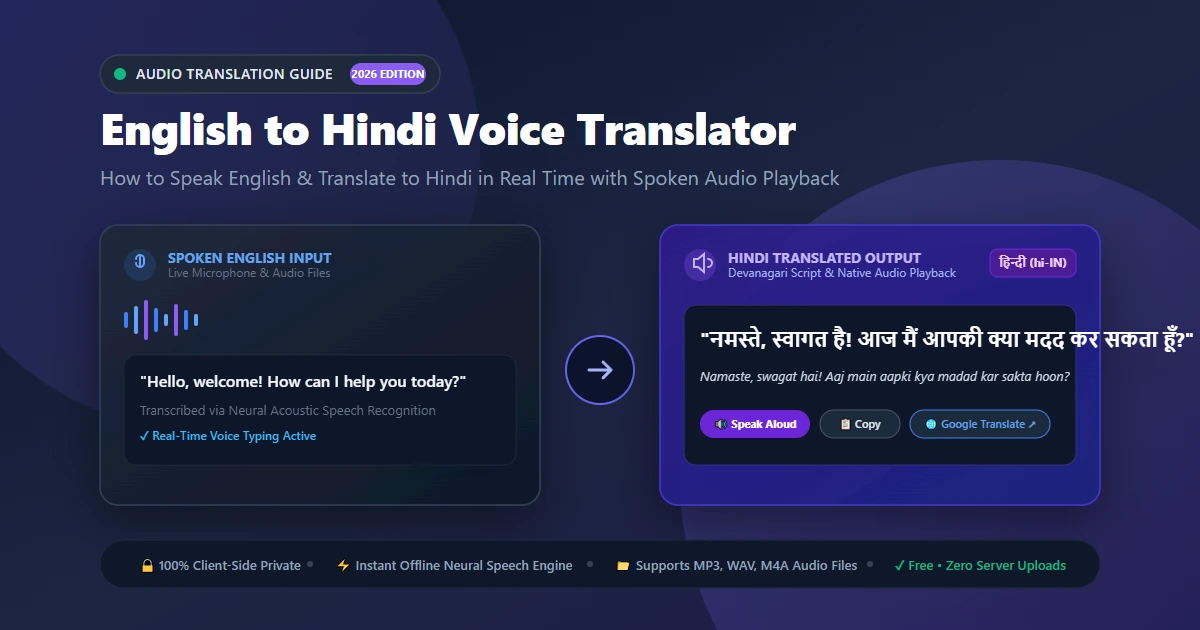
Using an english to hindi translator voice tool completely eliminates this friction. By simply speaking into a microphone, your acoustic speech signals are analyzed, converted into text, and transformed into grammatically natural Hindi sentences in real time.
- 3.5× Faster than Typing: Speaking occurs at 120–160 words per minute, whereas manual Devanagari typing averages just 20–30 words per minute.
- Dual Written & Spoken Output: Get both Devanagari script for reading and synthetic audio pronunciation for listening.
- Hands-Free Convenience: Dictate replies, meeting notes, or travel inquiries without looking down at your keyboard.
- Complete Accessibility: Perfect for users with dyslexia, visual fatigue, or motor challenges who struggle with touch typing.
2. How to Translate English to Hindi in Voice (Step-by-Step)
Here is how to translate english to hindi in voice directly inside your web browser without installing additional applications:
Step 1: Open the Voice Translator
Visit the AllToolsNow Voice Translator. It runs 100% inside your browser—no login or subscription required.
Step 2: Choose English as Source & Hindi as Target
Set the source dropdown to English (US or UK) and the target dropdown to Hindi (हिन्दी - hi-IN). You can also click the 🇮🇳 Hindi pill above the translation pane to switch instantly.
Step 3: Allow Microphone Access & Speak
Click Start Listening. When prompted by your browser, click Allow. Speak naturally into your mic; interim speech appears immediately in blue, committing finalized words upon natural pauses.
Step 4: Review, Listen, or Export
Click the Speak button to hear authentic Hindi audio playback through your speakers. Click Copy to paste into documents, or download your conversation as a bilingual .txt file.
3. Translating Pre-Recorded English Audio Files to Hindi
Need to english to hindi translate in voice audio files? Whether you have an English podcast episode, a WhatsApp voice memo, an interview recording, or an audio lecture, our tool transcribes and translates files up to 100 MB directly on your computer:
- Switch to the Translate Audio File tab above the language bar.
- Drop your MP3, WAV, M4A, AAC, or OGG file into the box.
- Keep ⚡ Fast Offline selected. This uses our built-in offline neural speech engine that processes audio in ~15–20 seconds without locking your browser.
- Click Transcribe & Translate Now to generate side-by-side English and Hindi transcripts.
- You can also click Transcribe Only first if you want to inspect proper names before submitting to the translation engine.
4. Devanagari Typing vs. Voice Translation: Direct Comparison
Compare how traditional manual typing methods stack up against modern in-browser voice translation:
| Feature | Voice Translator (AllToolsNow) | Manual InScript Keyboard | Phonetic Hinglish Typing |
|---|---|---|---|
| Input Method | Natural Spoken Voice / MP3 | Complex key mappings | English phonetic approximations |
| Input Speed | 120–160 WPM (conversational) | 15–25 WPM | 25–35 WPM |
| Learning Curve | Zero (Instant) | Extremely steep (weeks) | Moderate (frequent typos) |
| Audio Pronunciation | Native Hindi Speech Synthesis | None | None |
| Privacy & Security | 100% Client-Side Local Browser | Local | Usually uploaded to cloud API |
5. Understanding the Speech Recognition & Translation Pipeline
When you speak English and hear Hindi speech, three interconnected AI subsystems work collaboratively within fractions of a second:
1. Automatic Speech Recognition (ASR): The Web Speech API samples your voice at 16,000 times per second. An acoustic model matches sound frequency features to English phonemes, while a language model infers likely sentence syntax and punctuation.
2. Syntactic & Structural Realignment (SVO to SOV): English is a Subject-Verb-Object language ("Rahul drinks water"). Hindi is strictly Subject-Object-Verb ("राहुल पानी पीता है" / Rahul paani peeta hai). The neural machine translation model parses the grammatical relationship and re-orders clauses so the Hindi output sounds natural rather than robotic.
3. Speech Synthesis (TTS): The translated Devanagari string is sent to your device's native Hindi speech synthesis engine, which articulates consonants, retroflex sounds (like ट and ड), and correct vowel durations.
6. How to Maximize Translation Accuracy for Hindi
To consistently achieve an **88% to 95% semantic translation accuracy score**, keep these tips in mind:
- Speak in Complete Phrases: Translation models rely on surrounding context to understand whether words like "right" mean correct, direction, or legal entitlement.
- Use Clear Enunciation: Avoid rushing or slurring word endings, especially when pronouncing names or numbers.
- Leverage Verbal Punctuation: Say "comma" or "period" to help the engine segment complex thoughts into clean sentence units.
- Edit Any Misheard Words: You can click into the left transcript box at any moment to tweak spellings. When you click Re-Translate, the Hindi output refreshes instantly.
7. Verifying Translations on Google Translate in 1 Click
For critical business contracts, academic research, or medical discussions where you need 100% certainty, our tool features a built-in Verify on Google Translate ↗ button.
When you click this button, your exact transcribed English text and the chosen English-to-Hindi language pair are automatically passed to Google Translate in a new tab. You can compare the in-browser translation against Google's cloud neural translator in one second without having to copy, switch tabs, select languages, and paste.
8. Frequently Asked Questions
What is the translation accuracy score of this English to Hindi voice translator?
Our in-browser speech translator achieves an 88% to 95% semantic accuracy score on natural conversational speech, voice memos, interviews, and academic lectures. Because it translates English grammar (SVO) into native Hindi syntax (SOV), sentences sound natural and idiomatic. For specialized jargon, you can use the Verify on Google Translate button for a 1-click second opinion.
Can this tool read the Hindi translation out loud?
Yes. Every translated sentence includes a Speak button powered by speech synthesis. When clicked, it pronounces the translated Hindi text aloud through your speakers using authentic native Hindi accents and correct Devanagari phonetic stress.
Can I translate an English MP3 audio file into Hindi?
Yes. Click the Translate Audio File tab, drop your MP3, WAV, or M4A recording into the workspace, and click Transcribe & Translate Now. The tool will process the audio locally and provide the full Hindi translation alongside the original transcript.
Are my English voice recordings or Hindi translations saved on your servers?
No. All audio decoding, microphone volume analysis, speech recognition, and translation synthesis occur locally in your client web browser. No voice audio, MP3 files, or text transcripts are ever uploaded to, logged on, or monetized by external web servers.
Which web browsers support English to Hindi voice translation?
Real-time microphone voice input is supported natively in Google Chrome, Microsoft Edge, Apple Safari (iOS and macOS), Brave, and Chromium-based browsers. If you are using Mozilla Firefox, you can still type text or translate pre-recorded audio files.
Ready to Translate English to Hindi with Your Voice?
Start speaking now for instant Devanagari text, real-time Hindi audio playback, and complete privacy.
🎙️ Launch Free Voice Translator Now →