
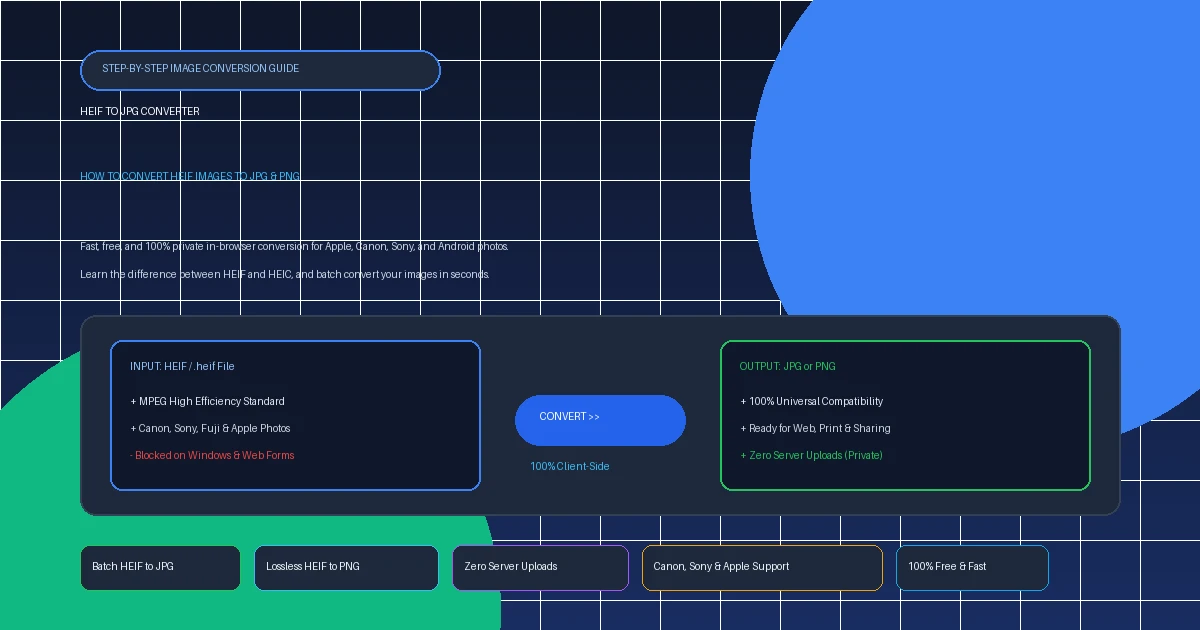
You transferred an SD card full of photos from your high-end Canon or Sony mirrorless camera, downloaded a backup from iCloud, or received an attachment in an email ending in .heif. You double-click to view it, but your Windows computer shows an error, Photoshop says it can't open the document, or an online web form rejects it completely.
Why does this happen, and what is the best way to convert heif to jpg without losing image quality or compromising your privacy? In this guide, we'll explain what HEIF files are, how they differ from HEIC, and how to convert them into universal JPG or PNG in seconds.
1. Quick Fix: Convert HEIF to JPG or PNG Online in Seconds
Need your photos converted right this second? You don't need to install software, pay for Microsoft Store codec packs, or create an account. Choose the tool you need below:
Batch convert .heif and .heic photos into standard JPEGs. Choose quality from 80% to 100%. Instant ZIP download with zero server uploads.
Convert HEIF files to lossless PNG format with complete alpha transparency preservation. Ideal for graphics, typography, screenshots, and logos.
2. What Is a HEIF File? (And What is the Difference Between HEIF and HEIC?)
One of the most common points of confusion in digital photography is the difference between HEIF and HEIC.
- HEIF (High Efficiency Image File Format): This is the underlying structural standard established by the Moving Picture Experts Group (MPEG). It defines how to encapsulate still images, image bursts, auxiliary depth maps, and audio sequences into a modern media container.
-
HEIC (High Efficiency Image Container): This is Apple's specific implementation of HEIF. Apple devices (iPhones, iPads, Macs) use the
.heicfile extension to signal that the container is encoded with the HEVC (H.265) video codec. -
The .heif Extension: Modern mirrorless cameras—including the Canon EOS R5, Canon EOS R6, Sony A7 IV, Sony A1, and Fujifilm X-T5—often save files directly with the
.heifextension when shooting in 10-bit HDR PQ mode.
In short: HEIF is the technical format, and HEIC is Apple's container flavor of HEIF. When converting either .heif or .heic, the underlying decoding engine handles them almost identically.
3. Why You Need to Convert HEIF to JPG
If HEIF is so advanced, why would you want to convert it to thirty-year-old JPEG technology? The answer comes down to three unavoidable real-world friction points:
A. Windows PCs Lack Native Codecs
Because the underlying HEVC compression requires manufacturers to pay patent licensing royalties, Microsoft does not bundle HEVC decoding into consumer Windows 10 or Windows 11 by default. Double-clicking a .heif file in Windows results in a black screen or a prompt requiring codec purchases.
B. Web Browsers Refuse to Display HEIF
Google Chrome, Mozilla Firefox, and Microsoft Edge do not support native inline decoding of HEIF images inside HTML <img> tags. If you upload a HEIF photo to a web page or blog, visitors using standard browsers cannot see it.
C. Portals and Photo Printing Kiosks Reject HEIF
Whether submitting passport documentation, applying for jobs through HR portals (Workday, Taleo), or printing photos at a pharmacy kiosk (Walgreens, CVS, Walmart), systems demand standard JPEG or PNG files.
4. Method 1: Convert HEIF to JPG with AllToolsNow (Zero Server Uploads)
The fastest and safest way to convert .heif to JPG is using our free client-side tool. Unlike traditional online converters that transfer your personal pictures to third-party cloud servers, AllToolsNow processes images 100% locally on your computer:
Navigate to AllToolsNow HEIC/HEIF to JPG Converter.
Drop one or dozens of .heif or .heic images onto the workbench area. You can also click Choose Files to select from your folders.
Select your preferred JPEG quality (85% recommended for small size, 95%–100% for studio photography).
Click Convert. In milliseconds, your browser transcodes the images. Click Download for individual photos, or Download All (.ZIP) to save your entire batch in one organized archive.
5. Method 2: Convert HEIF to PNG (When to Choose PNG)
While JPG is ideal for continuous-tone photography, converting HEIF to PNG is the superior choice in specific scenarios:
- Preserving Transparency: HEIF containers support transparent alpha channels. If you convert a transparent graphic to JPEG, the transparency is destroyed and replaced with a solid white or black box. Converting to PNG retains 100% of the alpha channel.
- Text & UI Screenshots: JPEG introduces compression halos ("mosquito noise") around high-contrast typography, app buttons, and interface borders. PNG uses lossless DEFLATE compression, keeping lines and text razor-sharp.
- Digital Artwork & Logos: Vector illustrations, vector badges, and digital drawings look pristine when converted via our HEIF to PNG Converter.
6. Method 3: Convert HEIF Files on Windows 10 & 11
If you want to convert files locally on your Windows computer without using a web browser:
Option A: Windows Photos App (Requires Codecs)
If you have installed both HEIF Image Extensions and HEVC Video Extensions from the Microsoft Store:
- Open the
.heifphoto in the Windows Photos app. - Click the three dots (
...) in the top toolbar → select Save as. - Under Save as type, choose .JPG or .PNG.
- Click Save.
Option B: CopyTrans HEIC for Windows (Free Desktop Utility)
Install the free CopyTrans HEIC utility. Once installed, simply right-click any .heif or .heic file in File Explorer and select "Convert to JPEG with CopyTrans". A duplicate JPG appears instantly in the same folder.
7. Method 4: Convert HEIF Files on Apple Mac
macOS provides full built-in support for HEIF conversion:
Using Finder Quick Actions (Fastest on macOS Monterey/Ventura/Sonoma):
- Select one or multiple
.heifphotos in Finder. - Right-click (or Control-click) → select Quick Actions → Convert Image.
- Choose JPEG or PNG and select your desired image size.
- Click Convert to JPEG.
8. Technical Comparison: HEIF vs. JPEG vs. PNG
Review how the three primary formats compare across everyday metrics:
| Format | Compression | Relative File Size | Transparency | Device Compatibility | Best Use Case |
|---|---|---|---|---|---|
| HEIF (.heif / .heic) | HEVC (Lossy/Lossless) | Smallest (~50% of JPG) | Yes | Limited (Apple / Modern OS) | Camera capture & mobile storage |
| JPEG (.jpg / .jpeg) | DCT (Lossy) | Medium | No | 100% Universal | Everyday sharing, web & printing |
| PNG (.png) | DEFLATE (Lossless) | Largest (3x–5x JPG) | Yes (Full Alpha) | 100% Universal | Logos, graphics, UI & typography |
9. Troubleshooting Common HEIF Conversion Issues
Can I just manually rename ".heif" to ".jpg"?
No! Renaming the file extension simply changes the label Windows or macOS reads; it does not transcode the underlying binary video data. Doing this will corrupt the file header, making image editors and photo viewers report that the file is invalid or damaged. Always use a proper transcoder like AllToolsNow.
Why are my 10-bit Canon/Sony camera HEIF files slightly darker when converted?
High-end cameras record HEIF photos using the HDR PQ (Perceptual Quantizer) gamma curve, designed for HDR television screens. Standard JPEG only understands standard sRGB (SDR). A proper converter remaps the HDR highlights down into standard dynamic range to avoid clipped highlights or dark shadows.
10. Free Image Conversion Tools on AllToolsNow
Discover our full collection of 100% free, private browser utilities:
- HEIF to JPG Converter: Fast batch conversion of .heif and .heic files into universal JPEGs.
- HEIF to PNG Converter: Extract lossless PNG images with alpha channel preservation.
- JPG to WebP Converter: Cut image weights by an extra 30% for ultra-fast website loading.
- PNG to PDF Converter: Combine multiple graphics and photos into clean, organized PDFs.
- Image Compressor: Shrink photos by up to 80% without noticeable quality loss.
- Explore All 40+ Free Tools: Privacy-first converters for images, documents, audio, and text.
11. Frequently Asked Questions (FAQ)
What is the difference between HEIF and HEIC?
HEIF (High Efficiency Image File Format) is the overarching international technical standard developed by the MPEG group. HEIC (High Efficiency Image Container) is Apple's specific file container and extension (.heic) that stores HEIF-encoded photos and computational metadata.
Can I convert HEIF to JPG without uploading my photos?
Yes! AllToolsNow HEIC/HEIF to JPG converts files 100% client-side inside your browser using WebAssembly. Your photos never leave your device and are never sent to any remote server.
Why do Canon and Sony cameras use HEIF instead of JPEG?
Modern mirrorless cameras from Canon (EOS R5, R6) and Sony (A7 IV, A1) offer 10-bit HDR HEIF capture to capture significantly wider dynamic range, smoother highlight gradations, and richer shadow detail at roughly half the file size of standard 8-bit JPEG.
Should I convert HEIF to JPG or HEIF to PNG?
Convert to JPG for natural photographs, camera portraits, and everyday sharing where small file size and universal compatibility are key. Convert to PNG if your HEIF file contains alpha transparency, vector logos, graphic diagrams, or text screenshots.
Can I rename .heif to .jpg directly in Windows?
No. Renaming the file extension only changes the name, not the underlying binary compression. Doing so will make the file corrupt or unreadable. You must use a proper converter like AllToolsNow to transcode the HEVC image data to JPEG.
Is there a limit on how many HEIF files I can convert?
There are no limits on AllToolsNow! Because conversion is powered by your computer's local processor rather than a remote cloud server queue, you can convert as many photos as you want for free.