
What Is an HEIC File? How to Open and Convert HEIC Images
If you have ever transferred photos from an iPhone to a Windows PC or tried uploading a snapshot to an online application, you have likely encountered a file ending in .heic that refused to open. What is an HEIC file, why does Apple use it instead of standard JPG, and how can you open and convert these images effortlessly? Here is your complete, beginner-friendly guide.
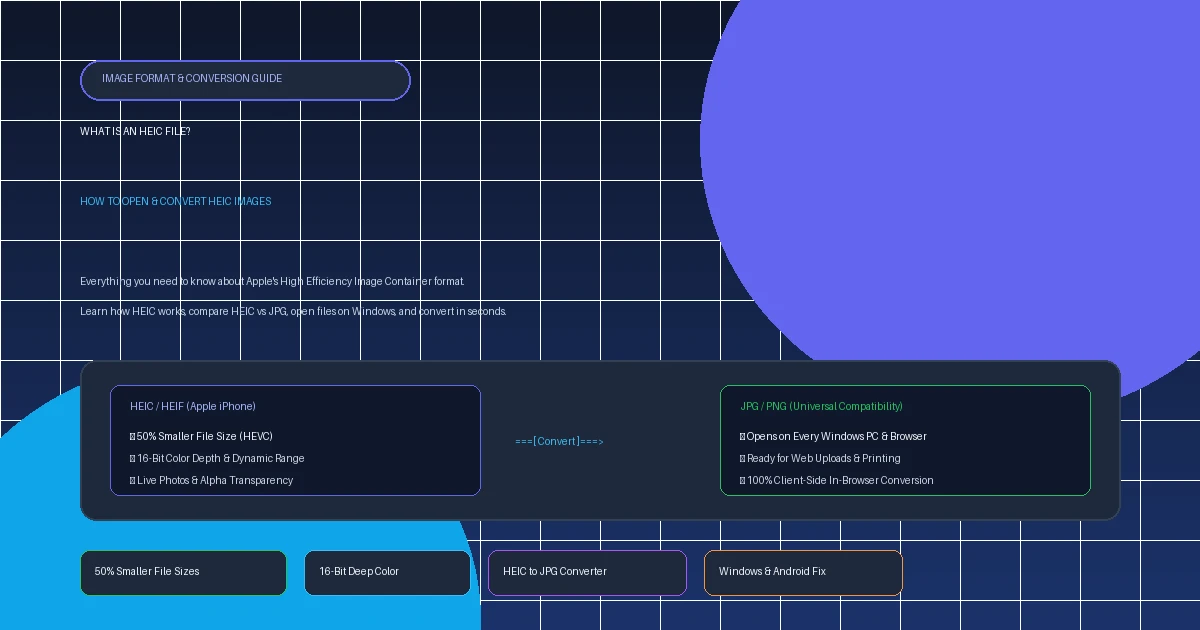
Quick Executive Summary: Understanding HEIC Files
- What It Stands For: High Efficiency Image Container — Apple's implementation of the HEIF (High Efficiency Image File Format) standard.
- Massive Storage Savings: HEIC cuts image file sizes by approximately 50% compared to traditional JPEG files while delivering identical or superior visual quality.
- Superior Technical Features: Supports 16-bit color depth (compared to JPEG's 8-bit limit), transparency channels, and stores multiple images (like Apple Live Photos and depth maps) inside a single file.
- The Compatibility Catch: Windows PCs, older Android devices, and legacy websites often fail to open or accept raw
.heicfiles out-of-the-box. - Fastest Solution: Convert them to universal JPGs or PNGs in your browser using our 100% private HEIC to JPG or HEIC to PNG converter.
1. What Is an HEIC File? The Plain-English Definition
HEIC stands for High Efficiency Image Container. It is a modern raster image container format adopted by Apple in 2017 with the release of iOS 11 and macOS High Sierra, replacing the decades-old JPEG standard as the default camera format on iPhones and iPads.
HEIC is based on the HEIF (High Efficiency Image File Format) specification developed by MPEG (the Moving Picture Experts Group). Instead of relying on legacy compression techniques created in the 1990s, HEIC utilizes advanced HEVC (High Efficiency Video Coding / H.265) algorithms.
Container vs. Just an Image: Why It Matters
Notice the word "Container" in HEIC's name. A standard JPG file can hold only a single static image. An HEIC file is a container that can hold multiple images, audio snippets, and auxiliary metadata in one file. This is what powers Apple's Live Photos (a still image bundled with a 3-second video snippet), rapid photo bursts, and computational photography depth maps used for Portrait Mode blur.
2. HEIC vs. JPG: Side-by-Side Comparison
JPEG has been the dominant image format across the World Wide Web since 1992. However, HEIC was engineered from the ground up to solve JPEG's greatest limitations:
| Feature | Apple HEIC | Standard JPG (JPEG) |
|---|---|---|
| File Size | ~50% Smaller (e.g. 1.8 MB) | Standard (e.g. 3.6 MB) |
| Color Bit Depth | 16-bit color (Up to billions of shades) | 8-bit color (16.7 million shades) |
| Alpha Transparency | Yes (Supports transparent cutouts) | No (Solid backgrounds only) |
| Multi-Image Support | Yes (Live Photos, bursts, depth maps) | No (Single frame only) |
| Non-Destructive Edits | Yes (Rotate, crop can be undone) | No (Degrades with each re-save) |
| Device Compatibility | Limited (Apple, Android 9+, Windows with extension) | 100% Universal (Every computer & browser) |
In short: HEIC is technologically vastly superior to JPG in every metric except compatibility. If you want a deep dive into image raster performance, read our breakdown of JPG vs PNG.
3. Why Does My iPhone Shoot in HEIC (And How to Turn It Off)
Modern iPhone cameras take 48-megapixel photos with HDR lighting and computational depth data. If an iPhone saved all those photos as traditional uncompressed JPEGs, a 128GB or 256GB phone would run out of storage in just a few months.
By utilizing HEIC, iOS cuts photo storage consumption in half without sacrificing quality. However, if you frequently transfer photos to a Windows PC or web portals that refuse to accept HEIC, you can tell your iPhone to shoot in universal JPEG instead:
How to Stop Your iPhone from Shooting in HEIC
- Open the Settings app on your iPhone or iPad.
- Scroll down and tap Camera.
- Tap Formats at the top of the menu.
- Switch from High Efficiency to Most Compatible.
If you want to keep saving space on your iPhone with HEIC but want photos to automatically convert to JPG when plugged into a PC via USB cable: go to Settings → Photos → scroll down to "Transfer to Mac or PC" → select Automatic.
4. How to Open HEIC Files on Windows 10 & 11
When you double-click an HEIC photo on Windows, you often receive an error stating: "The HEIF Image Extension is required to display this file". Here are the three best ways to open them on PC:
Option 1: Convert to JPG Online (Fastest, Zero Installs)
RecommendedInstead of troubleshooting Microsoft codecs, drop your photos into our free HEIC to JPG converter. It decodes the HEIC file directly inside your browser's hardware memory and gives you an instant, high-quality JPEG download. Zero software to install, zero file uploads, and 100% data privacy.
Option 2: Install Microsoft's Free HEIF Extension
Open the Microsoft Store app on Windows and search for "HEIF Image Extensions" (published by Microsoft Corporation). Click Get / Install. This teaches the default Windows Photos app how to read HEIC containers natively. (Note: Some video-backed Live Photos may also prompt for an HEVC Video Extension).
Option 3: Use Free Third-Party Viewers
Programs like IrfanView (with plugin package) or CopyTrans HEIC for Windows add native thumbnail rendering and right-click "Convert to JPEG" functionality directly into Windows File Explorer.
5. How to Open HEIC Files on Mac & Android
Apple Mac (macOS)
Any Mac running macOS High Sierra (10.13) or newer supports HEIC natively.
- Double-click to open instantly in the built-in Preview app.
- To convert on Mac: open in Preview → click File → Export → select JPEG or PNG.
- Or right-click in Finder → Quick Actions → Convert Image.
Android Phones & Tablets
Any phone running Android 9 (Pie) or newer (Samsung Galaxy, Google Pixel, OnePlus) supports HEIC decoding out-of-the-box.
- Opens natively in Google Photos and Samsung Gallery.
- Samsung Galaxy devices also have an option in Camera settings to save photos in HEIF format.
6. How to Convert HEIC to JPG or PNG Online (Free & Private)
When you need to send photos to clients, attach images to job resumes, or upload photos to websites that don't support HEIC, converting to universal JPG or PNG takes seconds with AllToolsNow:
Head to our dedicated HEIC to JPG Converter (for lightweight standard photos) or HEIC to PNG Converter (for graphics with transparent cutouts).
Drag and drop your photos into the dropzone. You can upload single files or convert entire batches at once.
Click Convert. Because conversion runs locally inside your browser's WebAssembly and Canvas engine, zero photos are ever sent to an external server. Download your converted JPEG or PNG images immediately.
7. Format Matrix: HEIC vs. JPEG vs. PNG vs. WebP
| Format | Primary Strength | Compression | Web & PC Compatibility |
|---|---|---|---|
| HEIC | Smallest file size & 16-bit color | Lossy or Lossless (HEVC) | Limited to Apple & modern devices |
| JPG / JPEG | Universal compatibility | Lossy (DCT) | 100% Universal |
| PNG | Lossless text & alpha transparency | Lossless (Deflate) | 100% Universal |
| WebP | Modern web standard (Google) | Lossy & Lossless (VP8) | High (All modern browsers) |
8. Helpful Free Image Converters on AllToolsNow
Explore our suite of 100% private, client-side image conversion and optimization utilities:
Convert Apple HEIC photos into universal high-quality JPEGs in your browser with zero cloud uploads.
Extract transparent cutouts and preserve lossless image quality from HEIC containers.
Combine multiple converted images into a polished, print-ready PDF document.
Browse our complete library of high-speed, secure, browser-based utilities.
9. Frequently Asked Questions (FAQ)
What does HEIC stand for?
HEIC stands for High Efficiency Image Container. It is Apple's brand implementation of the standardized HEIF (High Efficiency Image File Format) developed by the MPEG consortium.
Is HEIC better quality than JPG?
Yes. HEIC uses modern HEVC/H.265 compression, providing superior color fidelity, 16-bit dynamic range, and cleaner detail retention at half the byte size of an equivalent JPG photo.
Why can't I open HEIC photos on my Windows PC?
Windows does not include HEVC decoders out-of-the-box. To open them, you can install the free "HEIF Image Extensions" from the Microsoft Store, or convert them to standard JPG in seconds using our free online converter.
How do I stop my iPhone from taking photos in HEIC format?
On your iPhone, navigate to Settings → Camera → Formats and select "Most Compatible". All future photos will be captured as standard JPEG files.
Does converting HEIC to JPG reduce photo quality?
When converted at high quality (85% to 95%), any visual degradation is completely imperceptible to the human eye. The only noticeable difference is that the resulting JPG file size is slightly larger.
What is the difference between HEIF and HEIC?
HEIF is the underlying technical open standard created by MPEG. HEIC is the specific file extension and container wrapper used by Apple to bundle HEIF imagery and metadata together on iOS and macOS.
Can I upload HEIC files to websites and social media?
Native mobile apps like Instagram convert HEIC on the fly, but web browsers, job portals, and online government forms frequently reject raw .heic files. Converting them to JPG or PNG beforehand guarantees seamless uploading.
Are HEIC files safe to open?
Yes, HEIC files are completely safe. They are static multimedia containers holding pixel and metadata streams. They do not execute scripts or executable code.
Related Guides & Tutorials
Discover which image format delivers superior compression, transparency, and speed.
Learn how to capture full-page high-resolution PNG screenshots natively.
Everything you need to know about PNG, JPG, WebP, ICO, and HEIC.