
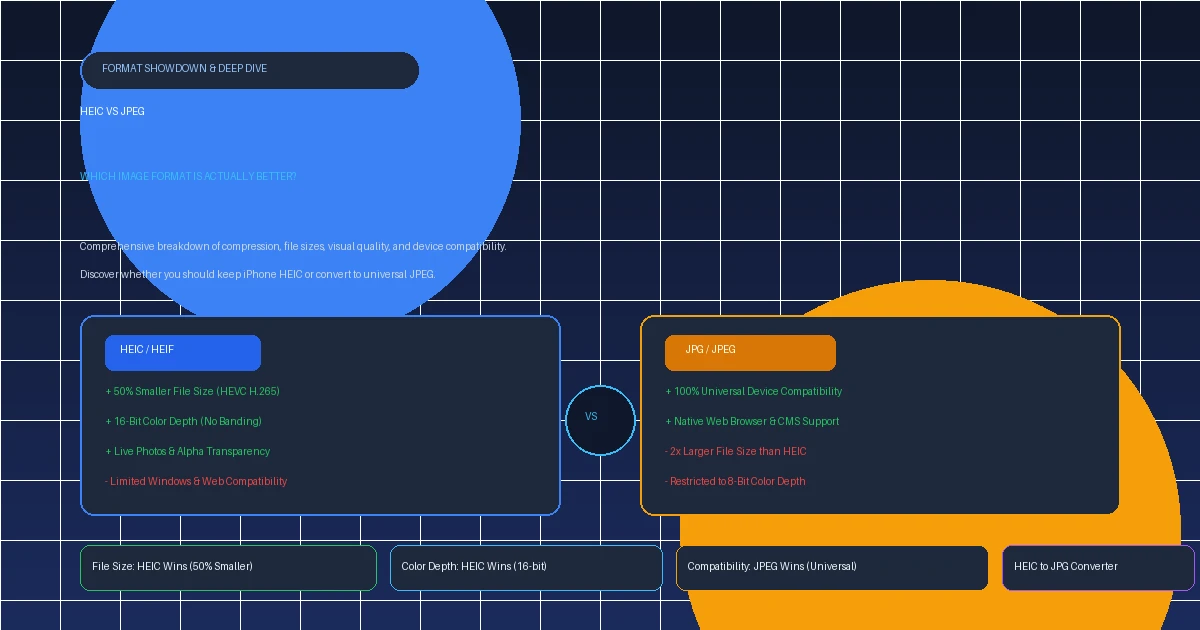
Every digital photographer, iPhone owner, and web designer faces the same fundamental dilemma: heic vs jpeg. On one side stands JPEG, the battle-tested champion that has powered digital photography and the World Wide Web since 1992. On the other stands HEIC, Apple's high-efficiency format introduced in iOS 11 that promised to cut storage requirements in half.
Is HEIC genuinely superior to JPEG? Does converting HEIC to JPEG damage your photo quality? And which format should you actually choose for your daily photography, smartphone storage, and web projects? Let's examine the technical benchmarks, side-by-side quality tests, and real-world trade-offs.
1. The Short Answer: Which Format Wins?
If we evaluate purely by image compression efficiency, color representation, and modern features, HEIC is the superior format. It utilizes the same advanced video encoding that powers 4K Netflix streams (HEVC/H.265), allowing it to store twice as much image detail in a file half the size of a JPEG.
However, if we evaluate by compatibility and real-world friction, JPEG is the undisputed winner. An image is useless if the person you email it to or the website you upload it to cannot open it. Windows 10/11 computers, web browsers, government portals, and online job boards still overwhelmingly reject raw .heic files.
2. Background: 1992 JPEG vs. Modern Apple HEIC
To understand why this battle exists, we have to look at the three-decade technology gap between the two formats:
- JPEG (Joint Photographic Experts Group): Standardized in 1992, JPEG was engineered for 1990s dial-up internet and floppy disks. It splits an image into 8x8 pixel blocks and applies Discrete Cosine Transform (DCT) lossy compression. Because it has existed for over 30 years, virtually every microchip, television, car infotainment screen, and smartphone on Earth possesses built-in hardware to decode JPEGs.
- HEIC (High Efficiency Image Container): Created in 2015 by the MPEG group as part of the HEIF standard, Apple adopted HEIC as the default camera format in iOS 11 (2017). Instead of basic 8x8 blocks, HEIC uses variable block sizes up to 64x64 pixels and sophisticated intra-frame prediction algorithms adapted from modern 4K video streams.
3. Compression & File Size Benchmarks (50% Difference)
The most famous advantage of HEIC is its ability to shrink file sizes by 40% to 55% compared to standard JPEGs without visible loss of sharpness.
Here is how a standard 12-megapixel smartphone photo compares across formats at identical visual fidelity:
| Photo Subject / Scenario | HEIC File Size | JPEG File Size | Storage Saved |
|---|---|---|---|
| Daylight Landscape (Grass & Sky) | 1.42 MB | 3.10 MB | 54% Smaller |
| Portrait with Bokeh (Skin & Hair) | 1.85 MB | 3.95 MB | 53% Smaller |
| Low-Light Night Photo | 2.10 MB | 4.40 MB | 52% Smaller |
| Album of 1,000 Photos | ~1.75 GB | ~3.80 GB | Saves 2.05 GB |
For anyone paying for iCloud storage or carrying a 128GB iPhone, shooting in HEIC literally doubles the number of photos your phone can hold.
4. Image Quality & Color Depth: 16-Bit vs. 8-Bit
Many people assume that because HEIC files are smaller, they must look worse. In reality, the opposite is true:
A. 16-Bit Dynamic Range Eliminates Color Banding
JPEG is mathematically restricted to 8-bit color depth per RGB channel. This means a JPEG can represent a maximum of 256 shades of red, green, and blue—equaling roughly 16.7 million total colors.
HEIC supports up to 16-bit color depth (65,536 shades per channel, or billions of total colors). When capturing challenging high-contrast scenes—such as vibrant sunsets, cloud gradients, or deep blue skies—JPEG frequently exhibits ugly color banding (stepped rings of color). HEIC transitions smoothly across gradients without any stair-stepping or posterization.
B. Smarter Edge Retention
JPEG compression causes visible "mosquito noise" and blocky ringing around high-contrast edges, fine typography, and hair strands. HEIC's intra-frame prediction smooths flat areas while preserving razor-sharp high-frequency details.
5. Device & Software Compatibility: JPEG's Superpower
Despite all of HEIC's technical superiority, JPEG dominates where it matters most: compatibility.
<img> tags. When you upload an HEIC image to WordPress, Shopify, Twitter, or an online job application, the server frequently rejects it as an unsupported file type.
JPEG, by contrast, opens everywhere without hesitation. An email attachment sent in JPEG can be viewed on a 15-year-old Windows XP computer, a Smart TV, a digital picture frame, or a Linux terminal.
6. Advanced Features: Live Photos, Transparency & Depth Maps
One of the biggest differences between the two formats is that JPEG is a single flat image, while HEIC is a flexible media container:
-
Live Photos in One File: When you shoot a Live Photo on an iPhone, JPEG creates two separate files: a
.jpgimage and an accompanying.movvideo clip. HEIC encapsulates both the high-res still image and the video burst inside a single.heiccontainer. - Embedded Depth Maps: iPhone Portrait Mode captures LiDAR and dual-lens computational depth maps. HEIC stores this depth layer inside the file, allowing you to refocus the background blur (bokeh) weeks after taking the picture. JPEG cannot store depth information.
- Alpha Channel Transparency: JPEG does not support transparency at all; any transparent pixels are forced into a solid white or black background. HEIC fully supports 8-bit and 16-bit alpha channel transparency (similar to PNG).
- Non-Destructive Editing: Cropping, exposure adjustments, and rotation can be stored as container instructions without rewriting or degrading the original pixel data.
7. Complete Head-to-Head Comparison Matrix
Here is how HEIC and JPEG stack up across every critical technical specification:
| Feature / Criterion | HEIC (Apple Standard) | JPEG / JPG (Legacy Standard) | Category Winner |
|---|---|---|---|
| Compression Codec | HEVC / H.265 (Modern) | DCT (1992 Algorithm) | HEIC |
| Average File Size | 1.2 MB – 2.0 MB (50% smaller) | 3.0 MB – 5.5 MB | HEIC (Big Win) |
| Color Depth | Up to 16-bit color | Max 8-bit (16.7M colors) | HEIC |
| Transparency Support | Yes (Alpha Channel) | No (Solid background only) | HEIC |
| Live Photos & Bursts | Stored in single container | Splits into JPG + MOV | HEIC |
| Windows Compatibility | Requires Store Codecs | 100% Native Out-of-the-Box | JPEG (Big Win) |
| Web Browser Support | Very Poor (Safari only) | 100% Universal | JPEG (Big Win) |
| Printing Services | Often rejected at kiosks | Standard industry format | JPEG |
8. Practical Decision Guide: When to Use HEIC vs. JPEG
Choose HEIC When:
- You are shooting photos on an iPhone, iPad, or modern Samsung phone for personal storage.
- You want to maximize your phone and iCloud storage without paying for higher cloud tiers.
- You frequently capture Live Photos, burst shots, and Portrait Mode photos with refocusable depth.
- Your primary computing devices are Macs, iPads, and modern iPhones.
Choose JPEG When:
- You regularly transfer photos to a Windows PC or an older Android tablet.
- You need to upload photos to website forms, resume builders, real estate listings, or job applications.
- You are sending images via email to clients or colleagues whose hardware you cannot predict.
- You are taking photos to a commercial printing lab or pharmacy photo kiosk (Walmart, CVS, Walgreens).
9. How to Convert HEIC to JPG Privately in Seconds
The smart compromise is simple: keep your camera shooting in HEIC to save device storage, and convert images to JPEG on demand when you need to share them.
Most online converters force you to upload private family pictures to remote servers. At AllToolsNow, our in-browser converter uses hardware-accelerated WebAssembly canvas processing. Your files never leave your device:
Convert one photo or a hundred photos simultaneously. Choose quality from 80% to 100%. Instant ZIP download. Zero server uploads.
Open HEIC to JPG Converter →10. The Web Angle: Why You Should Convert JPG to WebP
If you are building a website, running an e-commerce shop, or managing a blog, neither HEIC nor JPEG is the optimal web format today.
Because web browsers cannot decode HEIC, webmasters traditionally uploaded standard JPEGs. However, Google developed WebP specifically for the modern web. WebP delivers:
- 25% to 35% smaller file sizes than equivalent JPEGs at identical quality.
- 97%+ global browser support across Chrome, Safari, Edge, and Firefox.
- Faster Core Web Vitals (LCP): Dramatically faster page loads and higher SEO rankings.
If you already have a library of JPEG photos intended for web publishing, convert them to modern WebP with our JPG to WebP Converter.
11. Free Conversion Tools on AllToolsNow
Check out our complete lineup of fast, private, client-side digital utilities:
- HEIC to JPG Converter: Convert iPhone photos into universally compatible JPEGs.
- JPG to WebP Converter: Speed up website load times by converting JPEGs to modern WebP.
- HEIC to PNG Converter: Extract lossless PNG images with alpha transparency.
- Image Compressor: Reduce photo weights by up to 80% without visible blur.
- PNG to PDF Converter: Combine multiple images into an organized, print-ready PDF.
- Explore All 40+ Free Tools: Fast, private utilities for images, audio, documents, and web text.
12. Frequently Asked Questions (FAQ)
Is HEIC really better quality than JPEG?
Yes. Technically, HEIC supports up to 16-bit color depth (compared to 8-bit for JPEG) and uses HEVC (H.265) compression. This prevents color banding in gradients and preserves sharper shadow detail while taking up half the storage.
Why is JPEG still more popular than HEIC?
JPEG has near 100% universal compatibility across every computer, operating system, web browser, camera, and website in the world. HEIC is restricted by commercial patent licensing fees, meaning Windows and web browsers do not decode it natively out of the box.
Should I keep HEIC or switch to Most Compatible on iPhone?
If you primarily share photos with Apple users or store them in iCloud, keep HEIC (High Efficiency) to save 50% storage space. If you frequently transfer photos to a Windows PC or upload to job boards and web forms, switch to Most Compatible (JPEG).
Does converting HEIC to JPEG lose photo quality?
When using a high-quality converter (such as AllToolsNow set to 90%+ quality), the visual difference is virtually imperceptible to the human eye, though the file size will increase to match standard JPEG compression.
Why don't websites accept HEIC files?
Web browsers like Google Chrome, Mozilla Firefox, and Microsoft Edge do not support native inline HEIC decoding due to HEVC licensing fees. Websites require images in JPEG, PNG, or WebP format.
How can I convert HEIC to JPG for free?
You can use AllToolsNow HEIC to JPG. It runs 100% client-side in your web browser with zero server uploads, completely preserving the privacy of your personal photos.