
1. What Is Title Case?
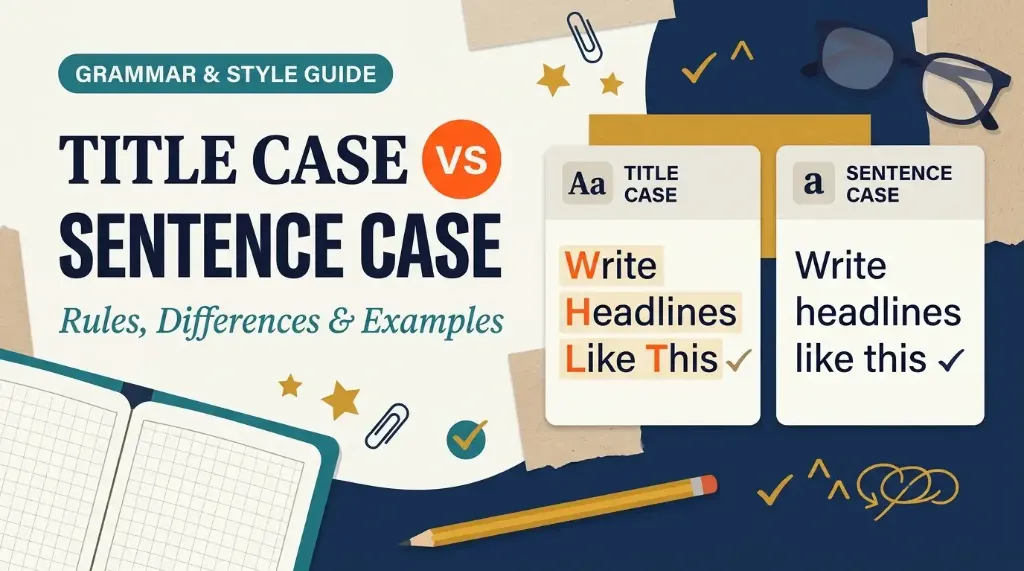
Title case is a capitalization style where the first letter of every major word is capitalized, while grammatical function words remain lowercase. Often referred to as "up style" or "headline style," title case has been a cornerstone of traditional English typography and printing for centuries.
In title case, words are divided into two distinct categories:
- Major Words (Capitalized): Nouns, pronouns, verbs (including linking verbs like is, was, and be), adjectives, adverbs, and the first and last words of the title.
- Minor Words (Lowercased): Short prepositions (such as in, on, at, to), coordinating conjunctions (and, but, or, nor), and articles (a, an, the).
For example, consider the headline: The Quick Brown Fox Jumps over the Lazy Dog. In this phrase, content words like Quick, Brown, Fox, Jumps, and Lazy carry capital initials, while function words like the and over remain lowercase. Title case provides visual rhythm and structural authority, signaling to the reader that the text represents an established work, headline, or formal section divider.
2. What Is Sentence Case?
Sentence case is a capitalization style where you capitalize only the first letter of the first word, along with any proper nouns, acronyms, and the first word following a colon or terminal punctuation. All other words remain in lowercase. Commonly known as "down style" or "sentence style," this format treats titles and headings exactly like an ordinary written sentence.
For example, the same headline formatted in sentence case reads: The quick brown fox jumps over the lazy dog. Notice how only the opening word (The) begins with a capital letter, while all subsequent words remain in lowercase because none of them are proper nouns.
Sentence case originated primarily in British, Australian, and European publishing traditions, but it has exploded in global popularity over the past decade. Modern digital product designers, software engineers, and web content managers overwhelmingly prefer sentence case because it reduces cognitive load, speeds up eye tracking, and feels friendlier and more conversational to digital users.
3. Sentence Case vs. Title Case: The Core Differences
When evaluating title case vs sentence case, the distinction extends beyond visual aesthetics. Each style affects how quickly users absorb information, how formal your message feels, and how easily your content adapts to international translations.
Here is a side-by-side comparison illustrating how sentence case vs title case operate in practice:
| Feature | Title Case | Sentence Case |
|---|---|---|
| Capitalization Rule | Capitalizes first/last words and all major words; lowercases short function words | Capitalizes only the first word, proper nouns, and post-colon clauses |
| Visual Tone | Authoritative, formal, traditional, prominent | Casual, conversational, clean, modern |
| Reading Speed | Slightly slower due to multiple capital ascenders breaking line flow | Faster scanning speed; matches natural reading patterns |
| Localization & Translation | Prone to translation errors; foreign languages rarely capitalize mid-title | Seamlessly compatible with foreign grammar rules |
| Error Frequency | Higher risk of mistakes (confusing prepositions, linking verbs, infinitives) | Extremely low error rate; simple binary decision |
| Primary Deployment | Book titles, formal essays, press releases, print newspapers | Mobile apps, SaaS dashboards, UI buttons, blog subheadings |
| Instant Conversion | AllToolsNow Case Converter | AllToolsNow Case Converter |
As shown in the table, the decision between sentence case vs title case requires balancing visual gravitas against cognitive ease. Title case commands attention on a static cover, while sentence case delivers effortless readability on interactive screens.
4. Title Case Capitalization Rules
While title case looks straightforward at first glance, it is notorious for causing editorial confusion. Different organizations follow slightly different conventions, but universal consensus exists across standard English grammar for these fundamental rules:
Rule 1: Always Capitalize the First and Last Word
Regardless of the word's grammatical part of speech or character count, the very first word and the final word of your title must always be capitalized. Even if the title starts with an article (The) or ends with a preposition (Turn the Light On), both bookending words receive capital letters.
Rule 2: Capitalize All Major Parts of Speech
Every word that carries primary meaning must be capitalized. This includes nouns (Engine, Format), pronouns (She, They), verbs (Create, Optimize), adjectives (Modern, Secure), and adverbs (Quickly, Never).
Rule 3: Always Capitalize Linking Verbs
One of the most frequent errors in title case is lowercasing short forms of the verb "to be." Words like is, are, was, were, and be are verbs, not prepositions or conjunctions. They must always be capitalized in title case (for example, Why Privacy Is Our Top Priority, not Why Privacy is Our Top Priority).
Rule 4: Lowercase Short Grammatical Function Words
Unless they appear as the first or last word of the title, keep articles (a, an, the), coordinating conjunctions (and, but, or, for, nor), and short prepositions of three or fewer letters (at, by, for, in, of, off, on, to, up) in lowercase.
Rule 5: Lowercase the "to" in Infinitives
When the word "to" precedes a verb to form an infinitive phrase, it remains in lowercase (for example, How to Convert Images Online).
5. Sentence Case Capitalization Rules
Sentence case is remarkably simpler than title case because it relies on standard sentence grammar rather than complex parts-of-speech filtering. To apply sentence case accurately, follow these three essential rules:
Rule 1: Capitalize the Opening Word
Capitalize the first letter of the first word in the heading, label, or sentence. If the heading begins with a number (such as 10 tips for better writing), the first alphabetical word that follows remains lowercase unless it is a proper noun.
Rule 2: Capitalize Proper Nouns and Acronyms
Any proper noun that requires capitalization in everyday writing retains its capital letter in sentence case. This includes brand names (Google, Photoshop, Apple), geographic locations (New York, London), personal names (Ada Lovelace), and technical acronyms (API, HTML, PDF, JSON).
Rule 3: Capitalize After Colons When Introducing Independent Clauses
If your title contains a colon followed by a complete, standalone sentence (an independent clause), capitalize the first word following the colon. If the text after the colon is merely a phrase or list of words, you may keep it in lowercase unless your house style specifies otherwise.
6. Clear Examples of Title Case and Sentence Case
To see the practical impact of sentence case vs title case, review how real-world headlines, navigation items, and marketing materials look under both conventions:
Blog & Article Headlines
Title Case: The Webmaster's Format Guide: When to Choose PNG, JPG, WebP, or ICO
Sentence Case: The webmaster's format guide: when to choose PNG, JPG, WebP, or ICO
Technical How-To Guides
Title Case: How to Convert, Organize, and Extract PDFs in Your Browser
Sentence Case: How to convert, organize, and extract PDFs in your browser
Product Navigation & UI Buttons
Title Case: Account Settings, Manage User Permissions, Export Data to CSV
Sentence Case: Account settings, Manage user permissions, Export data to CSV
Notice how sentence case feels more natural and conversational in button labels and technical instructions, while title case projects a more structured, editorial presence.
7. AP Style vs. Chicago Manual of Style Capitalization
When writers compare title case vs sentence case, they often discover that different style guides do not agree on how title case should be applied. The two most influential authorities in American publishing, the Associated Press (AP Stylebook) and The Chicago Manual of Style (CMOS), enforce distinctly different preposition rules.
The Chicago Manual of Style (CMOS 17th & 18th Editions)
The Chicago Manual of Style is the gold standard for book publishing, academic journals, and long-form literature. Under CMOS rules:
- All prepositions are lowercased in title case, regardless of their length.
- Words like through, between, against, without, and before remain in lowercase because their grammatical function is prepositional.
- Chicago title case example: A Journey through the Woods and across the Mountain
The Associated Press (AP Stylebook)
The AP Stylebook governs journalistic writing, news websites, press releases, and public relations copy. Under AP rules:
- Prepositions of four or more letters must be capitalized.
- Prepositions of three or fewer letters (in, by, for, of, to, at, on) remain lowercase.
- Words like With, From, Into, Over, Through, and About receive capital initial letters.
- AP title case example: A Journey Through the Woods and Across the Mountain
Understanding this distinction is essential for editors. If your team writes news or PR releases, follow AP Style. If you publish books or authoritative white papers, adhere to Chicago style.
8. APA Style: Title Case vs. Sentence Case Guidelines
The American Psychological Association (APA Style 7th Edition) takes a unique approach in the debate over sentence case vs title case. Rather than choosing one over the other, APA systematically utilizes both styles for specific parts of an academic paper.
APA Title Case Requirements
APA mandates title case (termed "title case capitalization") for the main title of your paper on the title page, Level 1 and Level 2 headings inside your paper body, titles of published periodicals and academic journals mentioned in the text, and table or figure titles. Under APA title case rules, capitalize all words of four letters or more, including prepositions and conjunctions (matching AP Style on four-letter prepositions).
APA Sentence Case Requirements
Conversely, APA mandates sentence case (termed "sentence case capitalization") for titles of articles, chapters, books, and reports in your reference list (bibliography), Level 3, Level 4, and Level 5 headings inside the body paragraphs, and table notes or figure captions. For example, when citing a book in an APA reference list, you write: Publication manual of the American Psychological Association (7th ed.). In APA style, knowing when to switch between sentence case vs title case is an essential academic requirement.
9. When Should You Use Title Case?
Title case is the preferred choice whenever you need your headline to command visual authority and announce itself as an established, standalone work. You should use title case in the following scenarios:
- Books, Films, and Podcasts: Creative works have traditionally used title case to stand out from regular body text.
- Major Newspaper and Magazine Headlines: Publications like The New York Times, The Wall Street Journal, and Harvard Business Review use title case to maintain an authoritative, formal tone.
- Formal Academic Papers and Theses: Level 1 research headings and formal report covers benefit from the gravitas of title case.
- Conference Presentations and Slide Decks: Main presentation title slides look more finished and intentional in title case.
- Certificates, Legal Agreements, and Official Awards: Document titles on diplomas, contracts, and certificates demand formal capitalization.
10. When Should You Use Sentence Case?
Sentence case has emerged as the clear front-runner for modern digital content, web publishing, and product interfaces. You should choose sentence case in the following contexts:
- Blog Post Subheadings (H2, H3, H4): Sentence case makes long subheadings easier to read without visual clutter.
- Web Content and Landing Pages: Casual, tech-forward websites use sentence case to sound approachable and conversational.
- Email Subject Lines: Marketing studies show that sentence case email subjects look less like promotional spam and achieve higher open rates.
- Corporate Knowledge Bases and Documentation: Technical documentation written in sentence case is faster to scan for troubleshooting steps.
- Government and Public Services: Official portals (such as the UK Government's GOV.UK and US federal agencies) mandate sentence case for plain-language accessibility.
11. Title Case vs. Sentence Case in Web Design and UX Writing
In user interface (UI) and user experience (UX) design, the debate of title case vs sentence case has largely been won by sentence case. Tech leaders like Apple, Google, Microsoft, and the Nielsen Norman Group (NN/g) strongly recommend sentence case across web and mobile products.
There are four primary reasons UX teams favor sentence case:
- Superior Scannability and Reading Speed: Reading text on back-lit mobile screens places strain on human eyes. Because sentence case only capitalizes the initial word and proper nouns, the letter shapes conform to natural word contours. Title case creates frequent vertical spikes with capital letters, which disrupts the reader's horizontal saccadic eye movements.
- Elimination of Visual Noise: A modern application dashboard contains dozens of interface elements: button labels, tab bars, tooltip descriptions, dropdown menus, and form placeholders. Formatting every element in title case (Save Changes To Profile, Upload New Document) creates visual clutter. Sentence case (Save changes to profile, Upload new document) creates a calming, uncluttered interface.
- Clear Differentiation of Proper Nouns: In sentence case, capital letters immediately signal proper nouns, brands, or technical entities. In title case, every word is capitalized, making it difficult for users to distinguish whether a word is part of the brand name or just an ordinary descriptive term.
- Simplified Localization and Global Translation: If your website or software is translated into languages like German, Spanish, or French, title case creates massive hurdles. Most foreign languages do not capitalize titles in the American headline style. When UI strings are written in sentence case, automated translation engines and human translators produce fewer errors.
12. Common Capitalization Mistakes to Avoid
Whether you write in title case or sentence case, watch out for these recurring capitalization errors:
- Mistake 1: Lowercasing Short Linking Verbs in Title Case. Many writers erroneously assume that words under four letters should always be lowercase. Consequently, they write Why Your Data is at Risk instead of Why Your Data Is at Risk. Words like Is, Are, and Be are verbs and must always be capitalized in title case.
- Mistake 2: Mixing Styles Across the Same Document. Never use title case for some H2 headings and sentence case for others in the same article. Inconsistency signals a lack of editorial care. Choose one convention in your editorial style guide and apply it consistently across all pages.
- Mistake 3: Capitalizing Common Nouns Following Colons in Sentence Case. In sentence case, do not capitalize the word after a colon unless that word begins an independent clause (a complete grammatical sentence) or is a proper noun.
- Mistake 4: Over-Capitalizing Hyphenated Compounds. In title case, capitalize both elements of a hyphenated compound if both words are independent nouns or adjectives (such as High-Performance Tools). Do not capitalize suffixes or prefixes like e- or co- unless standard grammar requires it.
13. How to Convert Text Between Title Case and Sentence Case
Manually converting text between capitalization formats is tedious and error-prone, especially when handling long articles, complex documents, or large spreadsheets of headlines. A single missed preposition or overlooked linking verb can ruin your formatting consistency.
To save time and ensure complete accuracy, you can use our free browser utility:
- Open the AllToolsNow Case Converter.
- Paste your draft text, headings, or list of titles into the input box.
- Click the Title Case button if you need formal headline-style capitalization, or click the Sentence case button if you want clean conversational subheadings or UI labels.
- Your transformed text appears instantly in the output field, with all spacing, numbers, and punctuation marks preserved.
- Click Copy to transfer your formatted text straight to your document, CMS, or code editor.
Because the online Case Converter runs 100% locally inside your web browser using client-side JavaScript, your text is processed in milliseconds and is never uploaded to any remote server. It provides private, fast, and reliable capitalization management for writers, developers, and marketers. If you are also managing strict character limits for social media or SEO title tags, pair it with our free Word Counter to verify length instantly.
Need to Switch Cases in One Click?
Stop manually retyping headers and bullet lists. Transform copy between Title Case, Sentence case, UPPERCASE, lowercase, camelCase, and snake_case directly in your browser.
Open Case Converter Free →14. Frequently Asked Questions (FAQ)
1. What is the main difference between sentence case vs title case?
In sentence case, only the first word, proper nouns, and acronyms are capitalized (for example, The quick brown fox). In title case, the first and last words, along with all major content words like nouns, verbs, adjectives, and adverbs, are capitalized (for example, The Quick Brown Fox).
2. Is title case or sentence case better for SEO blog post titles?
Both styles can rank equally well on Google because search engine ranking algorithms parse semantic keyword meanings rather than letter capitalization. However, most modern SEO webmasters prefer sentence case or AP-style title case for H1 page titles because it looks clean and trustworthy in search engine results pages without resembling aggressive clickbait.
3. Does AP Style require capital letters for all prepositions?
No. Associated Press (AP Stylebook) rules state that prepositions of four or more letters (such as With, From, Through, About, and Into) must be capitalized in title case, while prepositions of three or fewer letters (such as in, of, by, to, and at) must remain lowercase.
4. Why do modern mobile apps use sentence case for buttons and menus?
Modern user interface guidelines from Apple, Google, and Microsoft mandate sentence case because it reduces visual noise, matches human conversational reading habits, improves scannability on small screens, and makes software significantly easier to translate into foreign languages.
5. Should linking verbs like "is" and "was" be capitalized in title case?
Yes, absolutely. Words like is, are, was, were, and be are linking verbs, not prepositions or conjunctions. Under all major English style guides (including Chicago, AP, and APA), all verbs must be capitalized in title case regardless of how short they are.
6. Can I mix title case and sentence case on the same website?
Yes, provided you maintain strict structural hierarchy. Many popular publications use title case for the primary H1 article title, while using sentence case for all H2 subheadings, H3 subsections, sidebar widgets, and button labels. The key rule is consistency within each hierarchical level.
7. How do I quickly change a document from title case to sentence case?
You can convert any text instantly using the free Case Converter on AllToolsNow. Simply paste your text into the tool, click "Sentence case," and copy your converted copy back into your document without retyping a single word.
8. What is the Chicago Manual of Style rule for prepositions in titles?
The Chicago Manual of Style (CMOS) lowercases all prepositions in title case, regardless of how long they are. Even long prepositions like between, through, against, and concerning remain in lowercase under Chicago rules, provided they function as prepositions.
15. Final Verdict: Choosing the Right Case for Your Content
When choosing between title case vs sentence case, there is no single universal winner. The ideal format depends entirely on your publication medium, target audience, and communication objective.
Choose title case when you need your writing to feel formal, authoritative, and prominent, such as on book covers, academic journal titles, press release headlines, and legal certificates. Choose sentence case when your goal is effortless digital readability, fast scanning, and modern approachable communication across blog subheadings, email newsletters, and mobile software interfaces.
Whichever style you select, consistency is what separates amateur publishing from professional content. By adhering to the style rules in this guide and leveraging free browser utilities like AllToolsNow, you can keep your text impeccably formatted across every page you create.
16. References & Official Style Sources
- The Chicago Manual of Style Online: Headline-Style Capitalization Guidelines (§8.157–§8.160). https://www.chicagomanualofstyle.org/book/ed17/part2/ch08/psec157.html
- The Associated Press Stylebook: Capitalization of Headlines, Titles, and Prepositions. https://www.apstylebook.com/
- American Psychological Association (APA Style 7th Edition): Title Case vs. Sentence Case Capitalization Rules. https://apastyle.apa.org/style-grammar-guidelines/capitalization/title-case
- Nielsen Norman Group (NN/g): Capitalization in Web Design: Title Case vs. Sentence Case for Headings and UI. https://www.nngroup.com/articles/title-case-sentence-case/
- Apple Developer Documentation: Human Interface Guidelines (Writing for Interfaces & Capitalization Standards). https://developer.apple.com/design/human-interface-guidelines/typography
- Google Material Design Guidelines: UI Text and Hierarchy Standards. https://m3.material.io/foundations/typography/overview