
Spanish to English Voice Translator: Convert Spoken Spanish to Fluent English
Spanish is the world's second most spoken native language, with over 500 million speakers across the Americas and Europe. Whether you are assisting international clients, traveling abroad, or managing bilingual customer communications, relying on a spanish to english translator voice tool makes cross-language dialogue immediate and natural.
Translate Spanish Speech Directly in Your Browser
Speak Spanish into your microphone, upload audio recordings, listen to natural English playback, or cross-verify results on Google Translate with zero server uploads.
Spanish is the world's second most spoken native language, with more than 500 million speakers across Spain, Mexico, Central and South America, and the United States. Whether you are assisting Spanish-speaking clients, traveling through Latin America, studying bilingual literature, or handling international customer service calls, relying on a spanish to english translator voice tool makes communication immediate and natural.
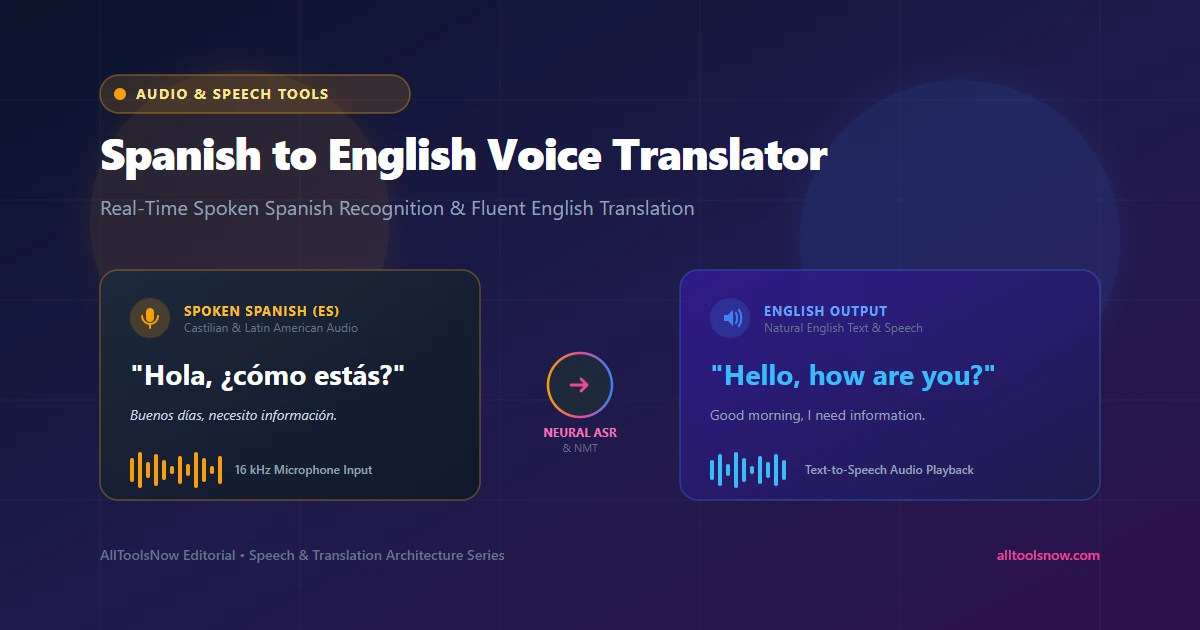
Instead of writing out sentences on a touchscreen keyboard, checking verb conjugations, and running text through a manual dictionary, speech translation captures your live spoken voice. Within seconds, acoustic models recognize the spoken Spanish words, neural translation models reorder the grammar into idiomatic English, and text-to-speech engines read the translation aloud. The exact reverse workflow also allows you to translate english to spanish voice audio with equal speed.
This guide explores the speech recognition technology behind voice translation, the unique acoustic and grammatical challenges of Spanish phonetics, practical options for translating live conversations or audio files, and methods to verify high-stakes translations.
How Spanish to English Speech Translation Works
Modern voice translation operates through three connected stages: acoustic speech recognition (ASR), neural machine translation (NMT), and text-to-speech synthesis (TTS).
The process begins when you speak into your microphone. Your computer or smartphone records sound waves at 16,000 samples per second. An acoustic model breaks the incoming sound into short 25-millisecond windows to detect phonemes, the fundamental building blocks of speech. A specialized language model then matches those phonetic patterns against Spanish grammar rules and vocabulary dictionaries, generating written Spanish text complete with punctuation and accent marks.
Once the Spanish transcript is produced, the neural machine translation engine evaluates the sentence. Early automated translators substituted words one by one, producing awkward phrasing whenever idioms or complex sentence structures were involved. Modern neural networks rely on deep transformer architectures that analyze the entire sentence as a single unit. The engine considers grammatical context, gender markers, verb moods, and prepositions before generating fluent English sentences.
Finally, if you want spoken audio output, a speech synthesizer uses natural human voice profiles to pronounce the translated English text through your speakers, capturing correct stress patterns and intonation.
Linguistic Differences Between Spanish and English
While Spanish and English share many cognates derived from Latin, their phonetics, rhythm, and sentence structures differ significantly. Understanding these linguistic factors explains why basic translators often produce awkward phrasing and how advanced speech engines handle them.
Syllable Timing vs. Stress Timing
Linguists classify Spanish as a syllable-timed language. In Spanish, each syllable takes approximately the same amount of time to pronounce, creating a rapid, machine-gun rhythm. Spanish speakers articulate an average of 7.82 syllables per second.
English is a stress-timed language. In English, stressed syllables occur at relatively regular intervals, while unstressed syllables are shortened and compressed. For example, in the English sentence "The DOCTOR examined the PATIENT," the unstressed words "the" and "ed" shrink in duration.
When a native Spanish speaker talks quickly, a speech recognition model trained on stress-timed rhythms can struggle to detect word boundaries. High-accuracy Spanish acoustic models must be trained on hundreds of thousands of hours of conversational audio to distinguish where one syllable ends and the next begins.
The Five Vowel System vs. English Vowel Complexity
Spanish has a clean, five-vowel system: /a/, /e/, /i/, /o/, and /u/. Each vowel represents a pure, unchanging monophthong sound regardless of where it appears in a word.
English, by contrast, contains between 14 and 20 distinct vowel sounds, including numerous diphthongs where vowels glide into one another. When Spanish speakers speak English, they often map English vowels onto the closest Spanish vowel, leading to identical pronunciations for words like "ship" and "sheep" or "bat" and "bet."
Modern voice translators account for these phonetic tendencies. When translating Spanish speech into English, the acoustic model expects clear Spanish vowel patterns. When performing the reverse process to translate english to spanish voice input, the model accommodates variable English vowel lengths and vowel reductions.
Pro-Drop Grammar and Omitted Subject Pronouns
Spanish is a pro-drop (pronoun-dropping) language. Because Spanish verb conjugations encode person and number directly in the verb ending, subject pronouns like "yo" (I), "tú" (you), or "nosotros" (we) are usually omitted unless needed for contrast or emphasis.
For example, the single word "Hablas" means "You speak." The phrase "Tengo hambre" means "I am hungry." If an automated system translated these literally without contextual parsing, it would produce incomplete fragments lacking subjects. Neural machine translation identifies the implied subject pronoun and restores it in English, producing grammatically complete sentences.
The Dual Verbs Ser and Estar
English uses the single verb "to be" to express permanent identity, physical location, temporary emotional states, and passive voice. Spanish divides these concepts between two verbs: "ser" (for inherent characteristics and identity) and "estar" (for location and temporary conditions).
Consider the sentence "Está aburrido" versus "Es aburrido." The first means "He is bored" (a temporary state), while the second means "He is boring" (a personality trait). A reliable translation engine must distinguish between these nuances to select the appropriate English adjective and meaning.
Regional Accents and Dialectal Pronunciation
Spanish is spoken across more than twenty countries, creating distinct regional phonetics:
- Ceceo and Distinción (Central & Northern Spain): Speakers pronounce "z" and soft "c" as a "th" sound (/θ/), distinguishing "caza" (hunt) from "casa" (house).
- Seseo (Latin America & Southern Spain): Both "s" and "z" are pronounced as /s/, making "caza" and "casa" phonetic homophones.
- Yeísmo and Zheísmo (Rioplatense Spanish): In Argentina and Uruguay, "ll" and "y" are pronounced with a "sh" or "zh" sound (/∫/ or /Ž/), turning "playa" into "plazha."
- Aspiration of Final S (Caribbean & Coastal Regions): In Cuba, the Dominican Republic, Puerto Rico, and coastal Colombia, speakers often drop or aspirate final consonants, pronouncing "¿Cómo estás?" as "¿Cómo ehta'?"
Modern speech translation engines train on multi-dialect acoustic corpora. Rather than requiring users to manually select their specific country sub-dialect, contemporary models identify phonetic shifts automatically based on surrounding speech context.
Primary Methods for Translating Spanish Speech
Users have several technical options when translating spoken Spanish into English. Each approach offers specific advantages depending on whether you need offline mobility, private audio transcription, or quick casual chats.
Browser-Based Online Translators
Browser-based tools allow you to translate speech instantly without downloading or installing dedicated software. Using the Web Speech API and client-side audio decoding, tools like the AllToolsNow Voice Translator process microphone input or uploaded voice memos directly in your browser tab.
Because modern web standards allow audio to be analyzed locally within browser memory, client-side tools offer complete privacy. Your recorded conversations and voice memos are not retained on remote cloud servers or used to build third-party training datasets.
Native Smartphone Voice Dictation
Both iOS and Android include built-in voice keyboards. If you configure a bilingual keyboard on your device, you can dictate in Spanish into any text field, copy the transcribed text, and paste it into a translation application.
While convenient for quick messaging, native voice dictation requires multiple manual steps. You must dictate, switch apps, paste, translate, and copy the output back. For ongoing spoken conversations, dedicated voice translators save time.
Mobile Translation Applications
Dedicated smartphone apps from Google Translate and Microsoft Translator offer conversation modes that split the screen into two halves. You tap one side to speak Spanish, and your conversational partner taps the other side to speak English.
Many of these apps support offline language pack downloads. If you travel to remote areas with limited cellular data connectivity, offline models provide basic communication, though vocabulary coverage and grammatical accuracy are slightly reduced compared to cloud models.
Handheld Electronic Translator Devices
Standalone hardware translators like Pocketalk or Timekettle earbuds provide dedicated microphones, integrated cellular SIM cards, and noise-canceling hardware.
These devices are popular among business travelers and healthcare workers who require hands-free translation. However, they cost between $150 and $350 and perform essentially the same neural speech recognition available for free through modern web browsers.
Comparison of Spanish to English Translation Options
| Method | Cost | Privacy Level | Audio File Support | Offline Capable |
|---|---|---|---|---|
| Browser Voice Translator | 100% Free | High (Client-side memory) | Yes (MP3, WAV, M4A) | Requires connection |
| Mobile Apps | Free with ads / tracking | Medium (Cloud sync) | Limited to live mic | Yes (with language pack) |
| Smartphone Voice Keyboard | Included with OS | Medium (OS telemetry) | No (Live dictation only) | Yes (on newer devices) |
| Hardware Translators | $150 - $350 | Medium (Proprietary cloud) | No (Device mic only) | Yes (eSIM / Built-in) |
Translating Pre-Recorded Spanish Audio Files
Real-time microphone input works well for live dialogues, but professionals frequently need to translate pre-recorded Spanish voice notes, customer service recordings, podcast snippets, or interview tapes.
When processing pre-recorded audio, follow these practical steps:
- Check Audio Format and Quality: Ensure your file is saved in a widely supported format like MP3, WAV, AAC, or M4A. If your recording is saved in an obscure mobile format, convert it using a free Audio Converter.
- Trim Long Audio Clips: Speech recognition models perform best on focused audio segments between 10 seconds and 5 minutes. If you have an hour-long recording, use an Audio Trimmer to break the file into topic-specific sections.
- Upload to the Voice Translator: Drag your audio file into the translator's upload zone. The speech engine will read the acoustic data, produce a complete Spanish transcript, and generate the corresponding English translation.
- Review and Edit Transcripts: Click into the transcript box to correct any proper names, technical abbreviations, or unusual brand terms before exporting your final English document.
How to Use a Spanish to English Translator Voice Tool for Best Results
To achieve high transcription accuracy with an automated voice translator, observe these simple recording guidelines:
Position the Microphone Correctly
Keep your microphone 4 to 6 inches away from your mouth. Speaking too close produces plosive distortion ("popping" sounds on letters like "p" and "b"), while speaking too far away allows ambient room echo to muddy the audio signal.
Speak in Full Sentences
Because modern neural machine translation evaluates full contextual phrases rather than single words, speaking in complete thoughts yields far more accurate translations than speaking in detached, single-word fragments. Complete sentences provide the syntactic clues necessary to resolve pronouns and verb tenses correctly.
Articulate Regional Endings Clearly
If you speak a dialect that drops or aspirates word endings, such as Caribbean or Andalusian Spanish, make an effort to articulate grammatical plural markers (the "s" at the end of words). Clear articulation ensures that the acoustic engine does not confuse singular and plural subjects.
Use a Headset in Noisy Environments
In bustling environments like busy offices, transit hubs, or airports, use a directional headset microphone. Directional microphones filter out background voices, preventing the translation engine from transcribing conversations around you.
Verifying Translations for Important Documents
When translating legal contracts, medical advice, financial disclosures, or formal business proposals, never rely exclusively on a single automated output. Employ these quality-control techniques:
The Back-Translation Technique
To verify whether your translation captured the original meaning, copy the generated English output, switch the translation tool to English-to-Spanish mode, and translate it back. Compare the resulting Spanish text with your original spoken message. If the core meaning remains intact, your translation is accurate. If key facts or grammatical relationships changed, rephrase the original sentence using simpler syntax.
Dual-Model Cross-Checking
Different translation engines rely on distinct neural training datasets. By comparing the results of the browser translator with an alternate engine like Google Translate (accessible via one click from the translator interface), you can verify that both models agree on technical vocabulary and phrasing.
Frequently Asked Questions
What is the most accurate spanish to english translator voice tool online?
The AllToolsNow Voice Translator offers free, client-side speech translation directly inside your browser. You can speak into your microphone or upload audio files in MP3, WAV, or M4A format. The system converts spoken Spanish into text, translates it into fluent English, and provides native audio playback without requiring software downloads or account registrations.
Does the voice translator work in reverse to translate english to spanish voice audio?
Yes. The translation system is fully bidirectional. You can select English as the voice input language and Spanish as the output language to translate spoken English audio into natural Spanish text and speech playback. This feature makes two-way bilingual conversations seamless.
How does the system handle regional Spanish accents?
Modern acoustic speech models are trained on hundreds of thousands of hours of speech covering Mexican, Peninsular, Caribbean, and South American dialects. The system recognizes common dialectal features, such as seseo, yeísmo, and regional vowel shifts, without requiring manual dialect configuration.
Is my spoken audio stored or shared on external servers?
When using the AllToolsNow Voice Translator, audio processing is handled within your client browser session. Your microphone recordings and uploaded audio files are not stored on remote servers or shared with third parties, providing complete data privacy.
Can I listen to the translated English text read aloud?
Yes. After your Spanish speech is converted into English text, click the Speak button next to the translated box. Built-in speech synthesis will read the translated English aloud using natural, human-sounding voice profiles.