
What Does URL Mean? A Simple Guide to URLs
Every time you click a link, type a web address, or bookmark a page, you are using a URL. But what does URL mean, how is it constructed, and why does each part matter? Here is the simple, non-technical guide to understanding web addresses, protocols, domains, and the difference between URLs and URIs.
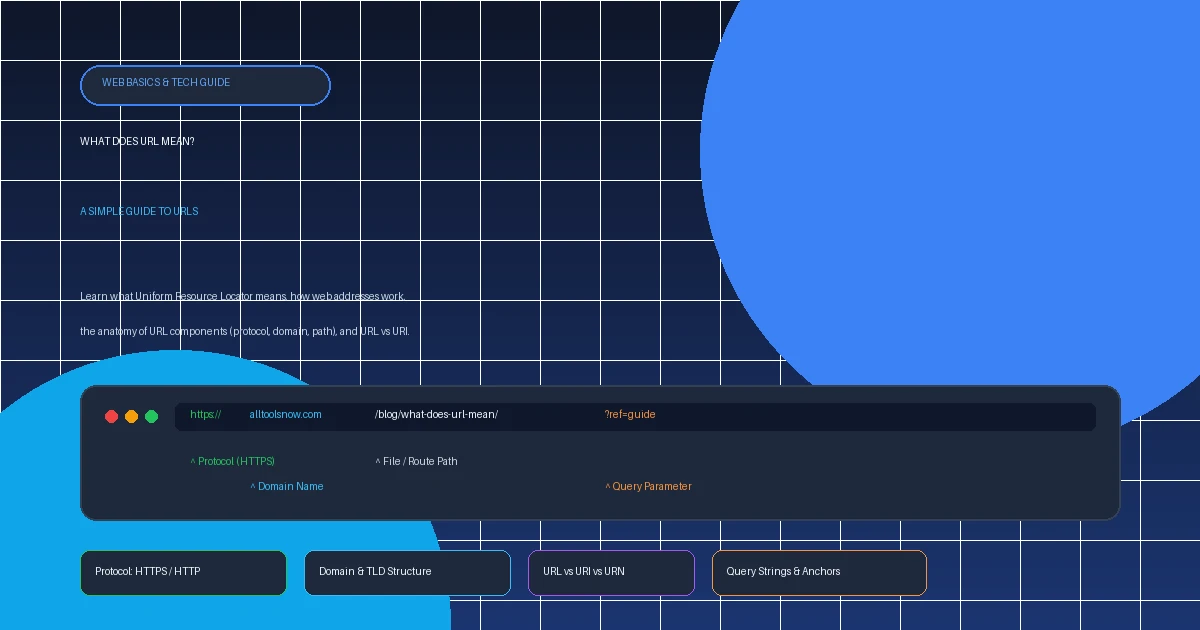
URL stands for Uniform Resource Locator. It is the standardized global web address used by computers, browsers, and internet protocols to pinpoint the exact location of a specific webpage, image, document, or API service on the internet.
1. What Does URL Mean? The Exact Definition
If you have ever asked yourself what does URL mean, the literal acronym breaks down into three foundational computer networking terms:
- Uniform: A standard, consistent syntax recognized by all computers, servers, browsers, and devices worldwide. Regardless of whether you use an iPhone in Tokyo or a desktop PC in New York, the address follows the exact same formatting structure.
- Resource: The destination item you want to access. A resource can be an HTML webpage, a PNG graphic, a PDF document, an MP3 audio file, a video stream, or raw data from a software API.
- Locator: The specific route or coordinates that tell your web browser where the resource lives on the internet and which protocol to use to retrieve it.
The concept was formally published in 1994 by Sir Tim Berners-Lee (the creator of the World Wide Web) under RFC 1738 in collaboration with the Internet Engineering Task Force (IETF). Before URLs existed, accessing a remote computer required knowing esoteric terminal commands, specific port numbers, and raw numeric IP addresses.
2. The Street Address Analogy: How URLs Navigate
To understand how a URL works without getting bogged down in computer jargon, think of a URL as a traditional postal mailing address:
Country: United States
City & Street: 123 Tech Boulevard
Building: Suite 400
Specific Room: Office #12
Scheme/Protocol: https://
Domain & TLD: alltoolsnow.com
Directory Path: /png-to-pdf/
Specific Section: #settings
Just as a mail carrier reads your country, city, street, and suite to deliver a package, your browser reads the protocol, domain, folder path, and anchor to load a webpage.
3. The Anatomy of a URL: 7 Core Parts Explained
A URL may look like one long continuous string of letters, but it is actually assembled from distinct modular components. Consider this complete example:
1. Scheme / Protocol (e.g., https://)
The protocol dictates the communications protocol used to exchange data. The most common is HTTPS (Hypertext Transfer Protocol Secure). Other protocols include http:// (unencrypted web), mailto: (email client triggers), ftp:// (file transfer protocol), and tel: (phone call triggers).
2. Subdomain (e.g., www. or blog.)
A subdomain sits to the left of the main domain name. It allows webmasters to partition distinct functional environments (for example, blog.alltoolsnow.com or api.example.com). In modern web development, the classic www. is considered a subdomain, though many sites now omit it for cleaner branding.
3. Second-Level Domain (e.g., alltoolsnow)
This is the unique registered name of the website or business. When you register a web address through a domain registrar, this is the custom name you purchase.
4. Top-Level Domain - TLD (e.g., .com, .org)
The TLD is the extension at the end of the domain. Common generic TLDs include .com (commercial), .org (organization), and .edu (higher education). Country code TLDs (ccTLDs) represent specific geographic territories, such as .uk (United Kingdom) or .jp (Japan).
5. Path (e.g., /blog/what-does-url-mean/)
The path indicates the exact file hierarchy on the host server. In traditional web servers, paths mapped directly to physical server folders (e.g., /documents/file.pdf). In modern web applications, the path represents a semantic virtual route managed by client or server-side routing engines.
6. Query String & Parameters (e.g., ?ref=guide&utm_source=twitter)
Introduced with a question mark (?), the query string passes dynamic key-value pairs to the web page or server. Multiple parameters are linked using ampersands (&). E-commerce filters, internal search queries, and analytics tracking tags (UTM parameters) live in the query string.
7. Fragment / Anchor Identifier (e.g., #anatomy)
Starting with a hash symbol (#), an anchor identifier tells the browser to scroll down directly to an HTML element with matching id. Fragments are processed strictly client-side by your browser; they are never transmitted across the network to the server.
4. URL vs. URI vs. URN: What Is the Difference?
In technical documentation and web development tutorials, you will frequently see the terms URL, URI, and URN used interchangeably. While related, they have distinct technical definitions:
| Acronym | Full Name | Definition & Real-World Example |
|---|---|---|
| URI | Uniform Resource Identifier | The overarching umbrella category. Any sequence of characters that identifies an abstract or physical resource. (e.g., both URLs and URNs are URIs). |
| URL | Uniform Resource Locator | A specific URI that identifies a resource by its location and specifies how to access it (e.g., https://alltoolsnow.com/all-tools/). |
| URN | Uniform Resource Name | A specific URI that identifies a resource by its persistent name without specifying where it lives (e.g., urn:isbn:0451450523 for a book). |
Think of a person: their name is "Jane Doe" (URN - persistent identity regardless of location). Her home address is "123 Main St, Boston" (URL - specifies location). Both are forms of identification (URI). Thus: Every URL is a URI, but not every URI is a URL.
5. HTTP vs. HTTPS: Why That "S" Protects Your Privacy
Notice how modern web addresses begin with https:// rather than http://? The single letter "S" stands for Secure, and it represents one of the most critical security advancements in web history.
When visiting an HTTP URL, data travels over the network in clear, unencrypted text. Anyone on the same public Wi-Fi network (such as at a coffee shop or airport) can intercept passwords, personal messages, and form submissions using packet sniffers.
HTTPS encrypts every packet of information using asymmetric 256-bit cryptographic keys. Even if intercepted, attackers see only unintelligible gibberish. All reputable websites—including AllToolsNow—operate exclusively over HTTPS.
6. Absolute vs. Relative URLs in Web Navigation
In web programming and website architecture, links are constructed using either absolute or relative URLs:
-
Absolute URL: Specifies the full, complete address including the scheme and domain name. For example:
https://alltoolsnow.com/all-tools/. Absolute URLs work from anywhere on the web, making them essential for external sharing, social media links, and search engine canonicalization. -
Relative URL: Omits the protocol and domain, pointing strictly to a path relative to the current webpage. For example:
/all-tools/or../about/. Developers use relative URLs because they make website maintenance easier when moving code between local staging and live production servers.
7. URL Encoding: Why Spaces Turn into %20
Have you ever pasted a web address into an email and noticed that spaces turned into %20 or symbols turned into %3F? That phenomenon is called URL Encoding (or percent-encoding).
The original internet specification mandates that URLs can only contain a narrow subset of 128 standard ASCII characters. Characters like spaces, brackets, quotation marks, and non-Latin scripts (such as Japanese, Arabic, or Cyrillic characters) are disallowed in raw form.
%20 or +%21%3F%26%2F%408. How Web Browsers Resolve a URL in Milliseconds
When you type a URL into your browser's address bar and press Enter, an astonishing sequence of global network operations occurs in under 200 milliseconds:
alltoolsnow.com) into a machine-readable IP address (e.g., 104.21.55.12).
200 OK) along with HTML, CSS, and JavaScript. Your browser parses the code and displays the visual webpage on your screen.
9. Best Practices for Creating Clean, User-Friendly URLs
Whether you manage a personal blog, an enterprise business site, or an online store, clean URLs improve click-through rates and search engine rankings:
Search engines treat hyphens (-) as word separators, whereas underscores (_) join words together.
Linux servers treat uppercase and lowercase URLs as separate files, which can cause duplicate content penalties.
Users should be able to guess the content of a webpage simply by reading its address bar.
Prefer semantic paths like /blog/what-does-url-mean/ over cryptic database parameters like ?post_id=8429.
10. Frequently Asked Questions (FAQ)
What does URL stand for in computers and the internet?
URL stands for Uniform Resource Locator. It is the standardized global address used by web browsers and internet protocols to identify and retrieve specific files, web pages, images, and services across the World Wide Web.
What is the difference between a URL and a domain name?
A domain name is just one component of a URL. For example, alltoolsnow.com is a domain name (representing the server or organization). A URL is the entire complete address that includes the protocol, domain, and specific file path, such as https://alltoolsnow.com/png-to-pdf/.
What is the difference between a URL and a URI?
URI stands for Uniform Resource Identifier. Every URL is a URI, but not every URI is a URL. A URI identifies a resource either by name (URN, like an ISBN book barcode) or by location (URL, like a website address). URLs specifically tell your browser where the resource is located and how to access it.
Why do some URLs start with http:// while others start with https://?
The "s" in https:// stands for Secure. HTTPS uses SSL/TLS encryption to protect your data in transit between your browser and the website, preventing hackers and eavesdroppers from intercepting passwords or credit card numbers. Modern web browsers flag standard HTTP sites as "Not Secure".
What do the question mark (?) and ampersand (&) mean in a URL?
The question mark (?) introduces a query string, which passes specific parameters or data to the web server (e.g., ?search=calculator). The ampersand (&) separates multiple key-value parameters in the same query string (e.g., ?search=calculator&sort=newest).
What is URL encoding, and why do spaces turn into %20?
URLs can only be transmitted over the internet using standard ASCII characters. Characters outside this character set—including blank spaces and special symbols—must be translated into percent-encoded hexadecimal values. A blank space becomes %20 (or a + sign in query strings).